
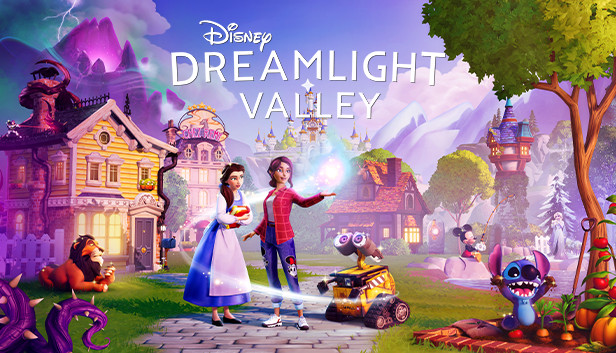
Disney Dreamlight Valley
Gameloft's Disney life-sim cross-saves through its own free account, not Steam Cloud or Nintendo's cloud, and the Switch 2 version (25 March 2026) rides the same bridge. Two real gaps: achievements don't transfer, and purchased expansions stay locked to the platform you bought them on.
Disney Dreamlight Valley cross-saves the way a handful of the smartest live-service games do: through its own account, not through Steam Cloud or Nintendo’s cloud. Sign into the same free Gameloft account on a Switch, Switch 2, PC, or console version, and your valley follows. It’s a genuine “yes” for the core question, with two honest caveats worth knowing before you build a save you care about.
Game overview
Dreamlight Valley is a life-sim built around restoring a decaying, magic-drained valley by befriending Disney and Pixar characters (Mickey, Elsa, Moana, WALL-E and dozens more) while farming, fishing, decorating, and running quests. It launched into early access on 6 September 2022 across an unusually wide platform spread for a day-one release, and left early access alongside its first paid expansion on 5 December 2023. Gameloft has kept it running as a live-service title since, with regular free updates and paid DLC expansions (most recently building toward a 2026 content slate that includes a Cinderella-themed update and new realms).
Where you can play it
PC (Steam, Epic Games Store, Microsoft Store), Xbox One and Series X|S, PS4 and PS5, and Nintendo Switch have all had it since the September 2022 early access launch. Switch 2 joined on 25 March 2026 as a free upgrade for anyone who already owned the Switch version, bringing better resolution and framerate on the same save rather than a new purchase. There’s also an Apple Arcade Edition for iOS, iPadOS, tvOS, and Mac, gated behind an Apple Arcade subscription rather than a standalone mobile release.
Steam currently lists Steam Deck compatibility as “Unknown” rather than Verified or Playable, meaning Valve hasn’t formally reviewed it. Plenty of players report it running well after manually adjusting the default control layout, but that’s community experience, not an official badge. If Deck performance specifically matters to your trip, check Steam’s compatibility page again before you go; a review could land any time.
Cross-saves and keeping your progress
Verified 23 July 2026, cross-checked against Gameloft’s own help centre. This is the section to read carefully if you’re planning to split time between a handheld and a desk.
The mechanism is a free Gameloft account, layered outside every platform’s own cloud. From the main menu, open Cloud Save, enter your email, and confirm the code Gameloft sends you. Sign into that same account on any other version of the game, PC, Switch, Switch 2, Xbox, or PlayStation, and your valley (buildings, friendships, inventory, story progress) comes with you. It works the same way Hades does: the account sits above Steam Cloud, Xbox’s cloud saves, PSN, and Nintendo Switch Online, so none of those platform-specific systems need to know about each other.
Two real limits keep this from being a flat, unconditional “yes.” Achievements and trophies don’t transfer retroactively; they’re tied to whichever platform you actually unlocked them on, so a synced save won’t backfill your Xbox achievement list with progress you made on Switch. More importantly for anyone who’s spent money: paid expansions are platform-locked. Buy one on Steam and link your account to a Switch copy, and the expansion content doesn’t unlock there. You need to own the expansion again on each platform you want it active on, even though your core save and progression sync fine.
Switch 2 doesn’t need a fresh link. The March 2026 version is a free upgrade applied to your existing Switch install and save. If your original Switch was already linked to a Gameloft account, that link carries straight over. Nothing to redo.
The Apple Arcade Edition is its own thing. It’s a separate SKU built for the Apple Arcade catalogue, and whether it shares the same Gameloft cross-save bridge as the Steam/console version isn’t confirmed here. If an Arcade Edition save matters to you, check the in-game Cloud Save menu on that version specifically before assuming it behaves like the others.
Steam Deck itself changes nothing about any of this. It’s a PC running the Steam version, so it links through the identical Gameloft account flow as any other Windows install.
Playing with other people
Dreamlight Valley isn’t couch co-op. Its online multiplayer, called Valley Visits, lets up to four players (including the host) drop into each other’s valleys to fish, decorate, and chat together in real time. A second, lighter feature added in December 2025, Dreamteams, groups up to eight players into a shared community that pools resources and shares updates without putting everyone in the same live world. Both are separate from the cross-save account link above; visiting a friend’s valley doesn’t touch your own saved progress.
Features that matter on the move
- Genuine cross-save via a Gameloft account, independent of Steam Cloud, Xbox cloud saves, PSN, and Nintendo Switch Online.
- Achievements stay on the platform that earned them; paid expansions stay on the platform that bought them. The core save and progression sync; purchases and platform-specific unlocks don’t.
- Switch 2’s free upgrade needs no re-linking if your Switch account was already connected.
- No local co-op. Online-only Valley Visits (4 players) and Dreamteams (8 players) cover the social side.
- Steam Deck compatibility is unofficial (Steam lists it “Unknown”), though widely reported as playable with layout tweaks.
Recommended setup
If you’re building a Switch-and-Steam-Deck routine, link the Gameloft account on whichever platform you start on before you sink real hours in, then repeat the same email/code step on the second platform. Budget for buying any paid expansion twice if you want it active on both, that’s the one line item people don’t expect. A basic USB-C cable is really the only “hardware” this one asks for, since the day-to-day play is light on input demands and heavy on the kind of short, low-pressure sessions that suit a charging handheld more than a dedicated controller.
See our cross-saves guide for how Dreamlight Valley’s account-based bridge compares with the rest of the games that do this properly, and Hades II for another example of the same “outside account” pattern done well.
Verdict
Dreamlight Valley earns its place on the cross-save list: a real account-based bridge that carries your valley between a Steam Deck, a Switch or Switch 2, and every console version, with none of the platform’s own cloud systems involved. Just don’t expect it to be seamless in every direction, budget for expansions twice if you split platforms, and don’t count on achievements following you. Set the account link up before you build a save you’d mind losing, and it’s one of the more dependable cross-save stories in this whole guide.
Platform comparison at a glance
| Platform | Available | Key perks / differences |
|---|---|---|
| PC | Yes | Windows via Steam, Epic Games Store, and Microsoft Store. Originally launched into early access 6 September 2022; left early access with the first paid expansion on 5 December 2023., Steam lists Deck compatibility as 'Unknown', not Verified: Valve hasn't run it through the review. Widely reported as playable with manual control-layout tweaks, but treat that as unofficial until Valve reviews it. |
| Xbox | Yes | Xbox One and Xbox Series X|S, day-one platform since the September 2022 early access launch. |
| PlayStation | Yes | PS4 and PS5, day-one platform since the September 2022 early access launch. |
| Switch | Yes | Original Switch since day one (September 2022). Switch 2 version arrived 25 March 2026 as a free upgrade for existing Switch owners: better resolution and framerate, same save., Cross-save to PC (Steam, Epic, Microsoft Store) and other consoles through a Gameloft account, not Nintendo's own cloud. |
| Mobile | Yes | Apple Arcade Edition only (iOS, iPadOS, tvOS, Mac), gated behind an Apple Arcade subscription. Not a standalone free-to-play mobile release, and not confirmed here to share the same Gameloft cross-save bridge as the Steam/console version — check in-game before assuming your Arcade Edition progress follows you. |
Cross-save & travel progress
- Cross-save runs through a free Gameloft account, entirely separate from Steam Cloud, Xbox cloud saves, PSN, or Nintendo Switch Online. From the main menu, open Cloud Save, enter an email address, and confirm the code Gameloft sends you. Sign into that same account on any other platform and your valley follows.
- Two real limits, not a flat 'yes': achievements/trophies don't transfer retroactively (they're tied to the platform you earned them on), and paid expansions are platform-locked (buy one on Steam and it will not unlock on your Switch copy of the same save, even after linking accounts).
- Switch 2's 25 March 2026 version is a free upgrade on the existing Switch save, not a new platform to re-link. If your original Switch was already linked to a Gameloft account, the Switch 2 version keeps that link.
- The Apple Arcade Edition is a distinct SKU from the Steam/console version. Whether it shares the same Gameloft cross-save bridge isn't confirmed here; verify in-game before relying on it.
- Steam Deck itself has no bearing on any of this: it's a PC, so it uses the same Gameloft account link and the same Steam install as any other Windows PC.
Features & inputs
- Local co-op: No
- Online co-op (native): Yes
- Controller recommended: No
Recommended hardware
Notes
- Developed by Gameloft, using licensed Disney and Pixar characters. Life-sim/farming structure closer to Animal Crossing or Stardew Valley than a traditional Disney game.
- Online multiplayer: 'Valley Visits' lets up to 4 players (including host) visit each other's valleys. A separate 'Dreamteams' feature, added December 2025, groups up to 8 players to share resources and updates without visiting a shared world. Neither is local/couch co-op.
- Steam Deck's 'Unknown' compatibility rating (rather than Verified or Playable) means the badge system hasn't reviewed it at all, distinct from a game that's been reviewed and marked Unsupported. Worth checking Valve's page again before a trip if Deck-specific performance matters to you.