
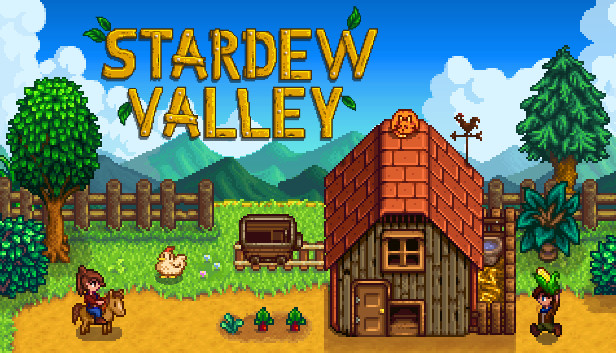
Stardew Valley
Overview
Stardew Valley is a farm life sim where you rebuild a rundown farm, grow crops, raise animals, explore mines, and build relationships with townsfolk. It’s open-ended and extremely flexible – great for both long sessions and small “do a day or two” bursts.
Where you can play it
Stardew Valley is available on:
- PC (Steam, GOG, etc.)
- Nintendo Switch
- PlayStation / Xbox
- Mobile (iOS / Android)
This makes it ideal if you want one game that follows you across multiple devices.
Why it works on the move
- Day-based structure – play 1–3 in-game days when you have a spare 10–20 minutes.
- Forgiving pacing – no need for fast reactions, good after long days.
- Cloud and cross-save options differ by platform, so check per store:
- PC → Steam Cloud
- Some console + PC combos support manual save transferring or unofficial tools.
Play it on…
- Switch / Switch 2 – great if you want cosy handheld play on the sofa or in bed.
- Steam Deck / handheld PC – best if you already have the game on Steam.
- PC / console – largest screens, easiest couch co-op (split-screen).
- Mobile – if you want a “farm in your pocket” with touch controls.
Platform comparison at a glance
| Platform | Available | Key perks / differences |
|---|---|---|
| PC | Yes | Full content, mods (PC), Local & online co-op on PC |
| Xbox | Yes | Console co-op; cloud saves within Xbox |
| PlayStation | Yes | Console co-op; trophies |
| Switch | Yes | Portable farming; local co-op |
| Mobile | Yes | Touch controls; single-player |
Where to buy Stardew Valley
Buy a full version of Stardew Valley on these platforms.
Cross-save & travel progress
- No cross-platform save transfer between ecosystems.
- Within the same platform/store, cloud saves sync (e.g., Steam Cloud).
Features & inputs
- Local co-op: Yes
- Online co-op (native): Yes
- Controller recommended: Yes
Recommended hardware
Notes
- Works well in handheld or docked play; co-op is easiest on PC/console.