
Best Portable Gaming Headsets in 2026: Steam Deck, Switch 2, and Travel Picks
By Jordan Hale
For most portable gamers in 2026, the right headset isn’t a gaming headset at all. The Audio-Technica ATH-M50x at around $150 wired beats every gaming-branded headset under $200 for raw audio quality, and the boom mic isn’t worth the sound-quality tax for most travel use. Audio-Technica ATH-M50x If you specifically want gaming features (flip-down mic, 2.4GHz wireless dongle, gaming-tuned sound profile), the SteelSeries Arctis Nova 7 at $180 is the best balance for Steam Deck and Switch 2 use. SteelSeries Arctis Nova 7 If you fly often enough to justify it, the Sony WH-1000XM5 at $350 is the over-ear ANC travel reference and works fine for gaming when paired wired through its 3.5mm jack. Sony WH-1000XM5
For under $50, the HyperX Cloud Stinger 2 wired is the budget pick that doesn’t insult you. HyperX Cloud Stinger 2 wired For something pocket-sized you can carry every day, the Moondrop Chu II IEM at $20 punches several price tiers above its price. Moondrop Chu II IEM
The piece below covers what each device actually supports, why “gaming headset” is mostly marketing, how Bluetooth latency on Switch 2 has changed since the original Switch, and the trade-offs that actually matter for portable gaming. For the broader Steam Deck vs Switch 2 buying decision, our cornerstone comparison covers the wedge. For pre-trip Deck configuration including Bluetooth pairing, the SteamOS travel setup guide covers what to set up before you fly.
The “gaming headset” problem
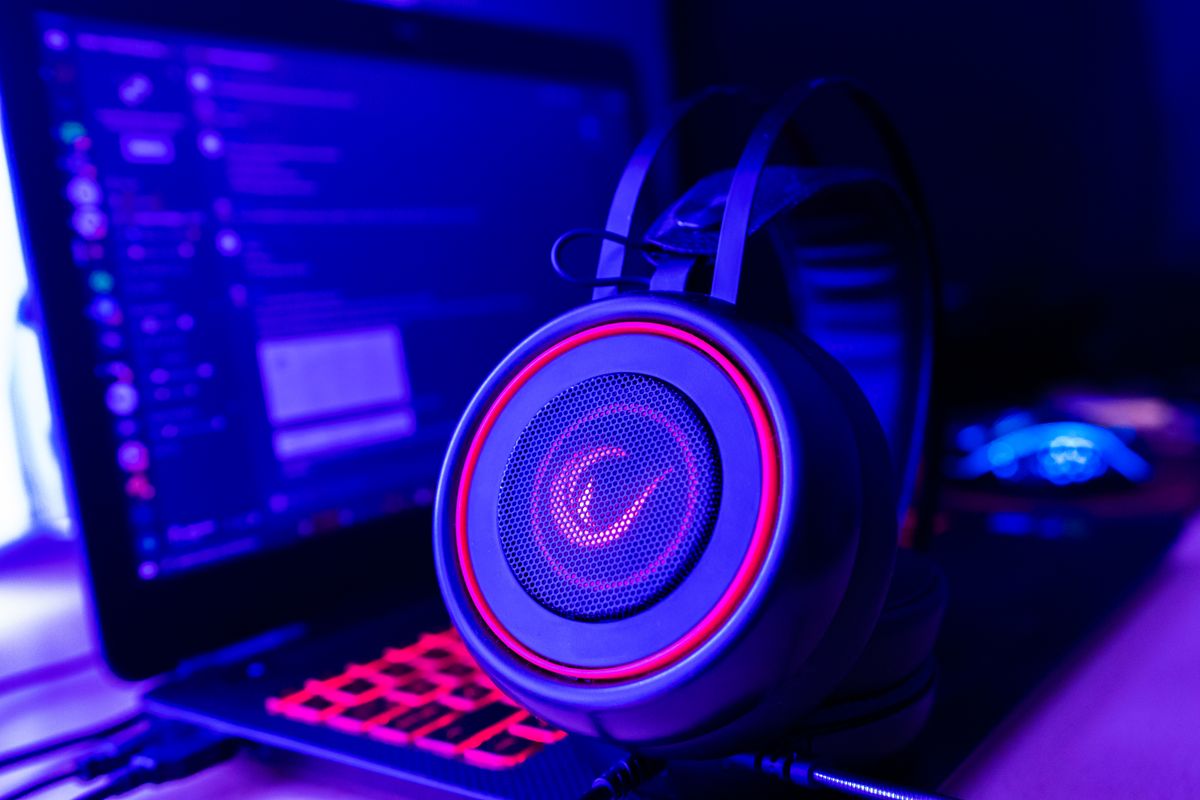
Most gaming-branded headsets under $200 are mediocre audio products with gaming-friendly features stapled on: a flip-down mic, RGB lighting, virtual-surround processing, gaming-tuned EQ (which means “boost the bass and treble until it sounds exciting on first listen”). The sound quality you get for the price is consistently worse than what you’d get from an equivalent-priced audiophile or studio-monitor headphone, because the gaming brands spend the budget on the gaming features instead of the drivers and tuning.
Two ways this hits portable gamers specifically:
For travel use, the gaming features don’t help. You’re not in a competitive Discord call on a 14-hour flight. You don’t need a $30 boom microphone bolted onto a $50 headphone. You need something that sounds good and packs small. A studio-monitor or travel-tuned headphone serves that better at the same price.
For solo gaming, the gaming-tuned EQ is fatiguing on long sessions. Boosted bass and treble sound impressive for the first 20 minutes and tire your ears after 90. Flat or near-flat tuning (what audiophile and studio products do) is what you actually want for a 3-4 hour flight session.
The exception: if you do a lot of party-chat or Discord gaming and want a flip-down mic that’s there when you need it, a real gaming headset (Arctis Nova 7, HyperX Cloud III, Razer BlackShark V2) gets you that integrated mic without faffing with a separate microphone. That’s a real feature for the right user. It just isn’t most users.
Wired vs wireless on Steam Deck and Switch 2
Wired headsets plug into either the 3.5mm jack (both Deck and Switch 2 have one) or USB-C (both have one). Zero latency, no battery, no pairing, no codec issues. The downside is the cable: it gets caught in chairs, in seatbelts, in luggage handles. For long stretches of stationary use (a plane seat, a hotel desk, your sofa), a cable is fine. For commuting or walking, it’s a liability.
USB-C wired with a built-in DAC (digital-to-analog converter) is the audiophile-leaning sub-category. Cards like the FiiO KA17 or similar small USB-C DACs let you plug a regular 3.5mm headphone into the Deck or Switch 2’s USB-C port and get cleaner amplification than the device’s own headphone amp. For most users this is excessive; for headphones that demand more power (HD650, Sundara), it’s the cheap path to making them sound right.
Wireless gaming via 2.4GHz USB dongle is the gold standard for low-latency wireless on the Steam Deck. The headset ships with a small USB receiver that plugs into the Deck’s USB-C port (via an adapter or a USB-C hub) and gives you 15-30ms latency — well below the threshold of perception for any portable gaming. SteelSeries Arctis Nova 7, HyperX Cloud III Wireless, and several Razer products use this approach.
The complication for Switch 2: 2.4GHz USB dongles work on Switch 2 when docked (the dock has USB-A ports) but not in handheld mode (there’s no USB-A on the device, only USB-C, and most gaming-headset dongles are USB-A). A USB-A-to-USB-C adapter sometimes works, sometimes doesn’t, depending on whether the Switch 2 recognises the headset as a generic audio device. Buy from a vendor with a clear return policy if this matters to you.
Bluetooth wireless is the most travel-friendly option (no dongle to lose) and the most latency-prone. The Switch 2 added Bluetooth 5.2 with aptX Low Latency support, which brings audio delay down to sub-40ms — finally acceptable for gaming. The original Switch’s Bluetooth 4.1 implementation was unusable for gaming because of the 200-300ms latency on the older codecs.
On Steam Deck, Bluetooth audio works in gaming mode, and SteamOS’s Linux Bluetooth stack has improved through 2025-2026, but it’s still occasionally fiddly. Bluetooth headphones that work cleanly elsewhere sometimes have pairing or codec-negotiation hiccups on the Deck. The fix is usually toggling the connection or testing a different codec in the headset’s app, but it’s a thing to know.
What the Switch 2 changed (and didn’t) for Bluetooth audio
The original Switch’s Bluetooth audio implementation was a years-long source of complaint. Added in firmware 13.0.0 (September 2021), it used the basic SBC codec with no aptX support, which meant 200-300ms latency — fine for music, unusable for gaming. Connecting through a third-party Bluetooth transmitter dongle plugged into the dock’s USB-A port was the workaround serious players used.
The Switch 2 fixes the Bluetooth side comprehensively:
- Bluetooth 5.2 versus 4.1 on the original. Lower power, better range, more reliable connection.
- aptX Low Latency support, achieving sub-40ms audio delay with compatible headsets. Most current premium and mid-range Bluetooth headphones support aptX LL.
- AAC codec for iPhone-paired headphones (AirPods, Beats), where AAC is the native codec.
- LE Audio with LC3 as the system matures, offering better quality at the same latency as aptX LL.
The catch: your headset has to support the codec you want to use. A Bluetooth headset that only supports SBC (older budget Bluetooth headphones, AirPods 2nd gen, basic earbuds) connects to Switch 2 but will still have noticeable lag. The codec negotiation is automatic; you don’t pick it, but the system uses the best codec both ends support.
For Switch 2 specifically, any Bluetooth gaming or travel headset purchased in 2024 or later is almost certainly fine. Pre-2022 budget headphones may not be.
The picks by tier
Budget wired ($30-60): HyperX Cloud Stinger 2
The Cloud Stinger 2 is what an honest gaming-headset purchase looks like under $60: lightweight, durable enough for daily travel, flip-down mic that works for party chat, and sound quality that’s noticeably better than the $30 random Amazon options. Memory-foam ear cups for long sessions. The cable is fixed (not detachable), which is the price you pay at this tier. Works with Deck (3.5mm), Switch 2 (3.5mm), any phone with a headphone adapter. HyperX Cloud Stinger 2 wired
Skip the wireless version of this product. At the budget end, wired wins on every metric.
IEM (in-ear) for daily carry ($20-50): Moondrop Chu II
If you want the most portable option possible, an in-ear monitor (IEM) takes up less space than your phone case. The Moondrop Chu II at $20 is the gateway audiophile IEM that took over the budget recommendation in 2024-2025. Wired, single dynamic driver, sounds significantly better than $100 mainstream brands at the same form factor. Works with the Deck and Switch 2’s 3.5mm jacks. Moondrop Chu II IEM
The trade-off: no microphone (unless you buy the optional cable upgrade with mic), no over-ear isolation against cabin noise, and IEMs need 5 minutes of fitting fiddling to seal properly the first time you wear them. If you can live with that, this is the highest sound-quality-per-dollar pick on this list.
Best overall under $200: Audio-Technica ATH-M50x ($150)
The M50x is a studio monitor headphone that became the default “I just want good audio” pick across desktop and travel use. Closed-back design (no sound leakage to the seat next to you on a plane), neutral-ish tuning that doesn’t fatigue on long sessions, detachable cable so you can carry a short cable for portable and a long one for desk use. No mic. Foldable for travel. Audio-Technica ATH-M50x
Why this beats most gaming headsets: it’s a $150 budget that bought you the drivers and tuning, not the marketing. Spend an extra $30 on a clip-on microphone (Antlion ModMic Wireless, V-Moda BoomPro) if you need voice chat, and you’ve still come in under what a comparable-quality gaming headset would cost.
This is the headset I recommend to anyone who plays solo most of the time and only occasionally needs voice chat. Which describes the vast majority of portable gamers.
Best wireless gaming headset for Steam Deck: SteelSeries Arctis Nova 7 ($180)
The Arctis Nova 7 is the right balance of gaming features and audio quality at this price. It uses both 2.4GHz wireless via a USB dongle (15ms latency, gaming-clean) and Bluetooth 5.2 (so you can connect to the Deck and your phone simultaneously). Flip-down retractable mic. 38-hour battery. Comfort design that holds up on long sessions. SteelSeries Arctis Nova 7
Steam Deck-specific note: the USB-A dongle works through a USB-A-to-USB-C adapter or a USB-C dock. SteelSeries also sells a USB-C version of the dongle separately for users who’d rather skip the adapter. Switch 2 docked compatibility is fine via the dock’s USB-A; handheld mode requires the adapter route.
The audio quality is good for the price but not best-in-class — that’s where the gaming-headset tax shows up. If you’d accept “very good” gaming features instead of “excellent” audio, the Nova 7 is the right choice. If you’d rather have the best $180 sound quality on this list and don’t need integrated voice features, go back to the M50x.
Premium ANC travel: Sony WH-1000XM5 ($350)
The WH-1000XM5 is the over-ear ANC reference for travel, full stop. Industry-leading active noise cancellation (genuinely silences engine noise on a plane), 30-hour battery, multipoint connection, foldable case included. Bluetooth 5.2 with LDAC and AAC. Plays as a wired 3.5mm headphone with the included cable when battery is dead or you want zero latency. Sony WH-1000XM5
The gaming use case: on a plane with ANC engaged and a 3.5mm cable to the Deck, this is the most pleasant portable-gaming setup money currently buys. The latency is zero (wired), the noise is gone (ANC), and the comfort is genuinely 8-hour rated. Outside of gaming, it’s the headphone you’d already buy for the noise-cancellation alone.
The cost is the obvious objection. $350 is gaming-headset money plus an additional $200. The justification is the noise cancellation, which no gaming-specific headset matches.
The serious-traveller alternative: 1MORE SonoFlow ($80-100)
If $350 for Sony is too much but you want ANC for long flights, the 1MORE SonoFlow is the credible mid-tier ANC headphone. 70-hour battery without ANC, 50 hours with, Bluetooth 5.0 with LDAC support, foldable, 3.5mm wired backup, ANC that’s roughly 70% as effective as Sony’s at less than a third the price. 1MORE SonoFlow ANC
For a portable gamer who wants noise cancellation but isn’t spending Sony money, this is the pragmatic pick. For everyone else, save up for the XM5 or accept that ANC isn’t worth the cost at your travel frequency.
Comparison table
| Headset | Type | Wired/Wireless | Mic | Use case | Price |
|---|---|---|---|---|---|
| HyperX Cloud Stinger 2 | Over-ear gaming | Wired 3.5mm | Yes (flip) | Budget, voice chat | $50 |
| Moondrop Chu II | IEM (in-ear) | Wired 3.5mm | Optional | Daily carry, music + game | $20 |
| Audio-Technica ATH-M50x | Over-ear studio | Wired 3.5mm | No | Best sound under $200, solo play | $150 |
| 1MORE SonoFlow | Over-ear ANC | Bluetooth + wired | No (call mic) | Mid-tier ANC for travel | $80-100 |
| SteelSeries Arctis Nova 7 | Over-ear gaming | 2.4GHz + Bluetooth | Yes (retractable) | Best wireless gaming feature set | $180 |
| Sony WH-1000XM5 | Over-ear ANC | Bluetooth + wired | No (call mic) | Premium travel + gaming wired | $350 |
The microphone question
If you do voice chat at all on portable trips — Discord with friends, party chat on Switch 2, Steam voice — you need to think about the mic separately from the headphones.
The three options:
Integrated headset mic (Arctis Nova 7, Cloud Stinger 2, any gaming-branded headset). Convenient, always there, never lost. Audio quality of these mics has improved a lot but still sits below standalone USB mics or clip-on options. Fine for casual chat, noticeably worse than the alternatives for streaming or recorded content.
Clip-on attachment mic (Antlion ModMic Wireless, V-Moda BoomPro). Bolts onto any over-ear headphone, gives you a real boom mic. The ModMic Wireless is $120 and the BoomPro is $30 (only works with headphones that have a removable cable that takes the BoomPro instead). Either way, you get a quality mic on a headphone that doesn’t ship with one. This is the route for buying an M50x and still keeping voice chat.
Phone microphone (just talk through your phone’s mic while audio plays through the Deck). Works on long-distance party calls but not on in-game voice chat. Limited use case.
For most portable gamers who voice-chat occasionally, the clip-on path on top of an M50x or similar studio headphone gets you better audio and voice quality than buying any single gaming headset. For someone who voice-chats constantly, the integrated mic on the Arctis Nova 7 is the convenience win.
The travel use case: ANC matters more than you think
A plane cabin sits at 75-85 dB of constant noise. That’s loud enough that you’ll naturally turn the headphone volume up by 10-15 dB to compensate, which is loud enough to cause ear fatigue and hearing damage over a long flight. Active noise cancellation drops the cabin baseline to 50-55 dB perceived, which means you can listen at safer volumes and still hear everything clearly.
For someone who flies twice a year, ANC is a luxury. For someone who flies six times a year or more, it’s the difference between landing rested and landing tired. The Sony WH-1000XM5 and the 1MORE SonoFlow are the two ANC options on this list. The gaming-branded headsets don’t have ANC, and you should not pay extra for “Virtual ANC” gimmicks that some brands market (it doesn’t exist as a real feature; the term is essentially software EQ branded creatively).
If you’re choosing between two headsets at similar prices and one has ANC and one doesn’t, the ANC one wins for travel — even if it’s slightly worse for gaming sound quality. Comfort over a 14-hour flight beats specifications on paper.
What I don’t recommend (and why)
Apple AirPods Pro 2 for gaming on Switch 2 or Deck: AirPods sound fine for music, but their codec on non-Apple devices defaults to AAC over Bluetooth, which has 100-150ms latency on Switch 2 and worse on Deck. Acceptable for casual single-player, frustrating for anything timing-sensitive. Use them for music, not gaming.
Any “RGB gaming headset” under $80: the RGB lighting drives up the price without improving audio. Buy a non-RGB equivalent at the same price tier and the audio is better.
Razer Barracuda X at full price: a fine product when it’s on sale for $80-100, overpriced at $130 MSRP. Wait for Razer’s frequent sales.
Any “Switch-themed” headset: licensed Nintendo-branded gaming headsets carry a 30-50% price premium for the Nintendo logo, with no functional advantage over a generic equivalent. The licensing fee is what you’re paying.
3D-audio / spatial-audio gaming headsets with their own processing: the spatial-audio features that matter (Dolby Atmos for Headphones, Sony 360 Reality Audio) are platform-side software, not headset-side. A $200 “spatial audio” gaming headset usually has the same drivers as a $100 non-spatial one with a marketing layer.
FAQ
Q: Does the Nintendo Switch 2 support Bluetooth audio without latency issues?
It’s much better than the original Switch but not zero-latency. Switch 2 uses Bluetooth 5.2 with aptX Low Latency support, achieving sub-40ms audio delay with compatible headsets. The original Switch’s Bluetooth 4.1 stack had 200-300ms latency, which is why most serious players used wired audio or a 2.4GHz dongle through the dock. On Switch 2, most current premium and mid-range Bluetooth headphones work fine for gaming.
Q: Will my Steam Deck’s USB-C dongle for a wireless gaming headset work on a Nintendo Switch 2?
Sometimes. Most gaming-headset 2.4GHz dongles are USB-A, so you need a USB-A-to-USB-C adapter to connect them to a Switch 2 in handheld mode. The adapter usually works but isn’t guaranteed; the Switch 2 has to recognise the dongle as a generic audio device. In Switch 2 docked mode, the dock’s USB-A ports accept dongles directly. Test with a returnable adapter before committing if this is your primary use case.
Q: Are gaming headsets actually better than studio or travel headphones for gaming?
Not for audio quality. Gaming headsets win on integrated features (flip-down mics, 2.4GHz wireless dongles, gaming-tuned software), and they lose on sound quality compared to equivalently-priced studio or audiophile headphones. The Audio-Technica ATH-M50x at $150 sounds noticeably better than every gaming headset under $200. If you want the best sound for the budget, buy non-gaming. If you want integrated voice features, buy gaming. Both are valid choices for different users.
Q: What’s the best portable gaming headset for under $100 in 2026?
For wired, the HyperX Cloud Stinger 2 at $50 is the honest pick — durable, comfortable, flip-down mic, works with both Deck and Switch 2 over 3.5mm. For something more portable, the Moondrop Chu II in-ear monitor at $20 sounds significantly better than its price suggests if you can live without a microphone. For wireless ANC under $100, the 1MORE SonoFlow at $80-100 is the credible mid-tier choice for travellers who want noise cancellation.
Q: Do I need a USB-C DAC for portable gaming?
For most users, no. The Steam Deck and Switch 2 both have decent built-in headphone amps that drive normal-sensitivity headphones (anything in this guide) to plenty of volume without distortion. USB-C DACs are useful if you’re using particularly hard-to-drive headphones (Sennheiser HD650, HiFiMan Sundara, planar magnetics generally) or if you want a specific audio improvement that the device’s amp can’t deliver. For the headsets recommended here, save the money.
Q: How important is active noise cancellation for portable gaming?
It depends entirely on where you play. For at-home portable use, ANC adds no value. For flights, train commutes, or noisy public environments, ANC is the single biggest comfort upgrade available. The Sony WH-1000XM5 at $350 is the reference; the 1MORE SonoFlow at $80-100 is the mid-tier alternative. If you fly six times a year or more, the math justifies the Sony. If you fly once or twice, the SonoFlow is the right amount.
Last reviewed: 28 May 2026. Headset pricing fluctuates with retail promotions; the Sony WH-1000XM5 in particular has been discounted to $280-300 multiple times in 2026. Verify against current retail before purchase. Switch 2 codec support and Bluetooth performance described here matches Switch 2 firmware as of May 2026; Nintendo’s firmware updates may extend codec support over the device’s lifetime.