
Best VPN for Portable Gaming in 2026: Privacy-First Picks for Steam Deck and Switch 2
By Jordan Hale
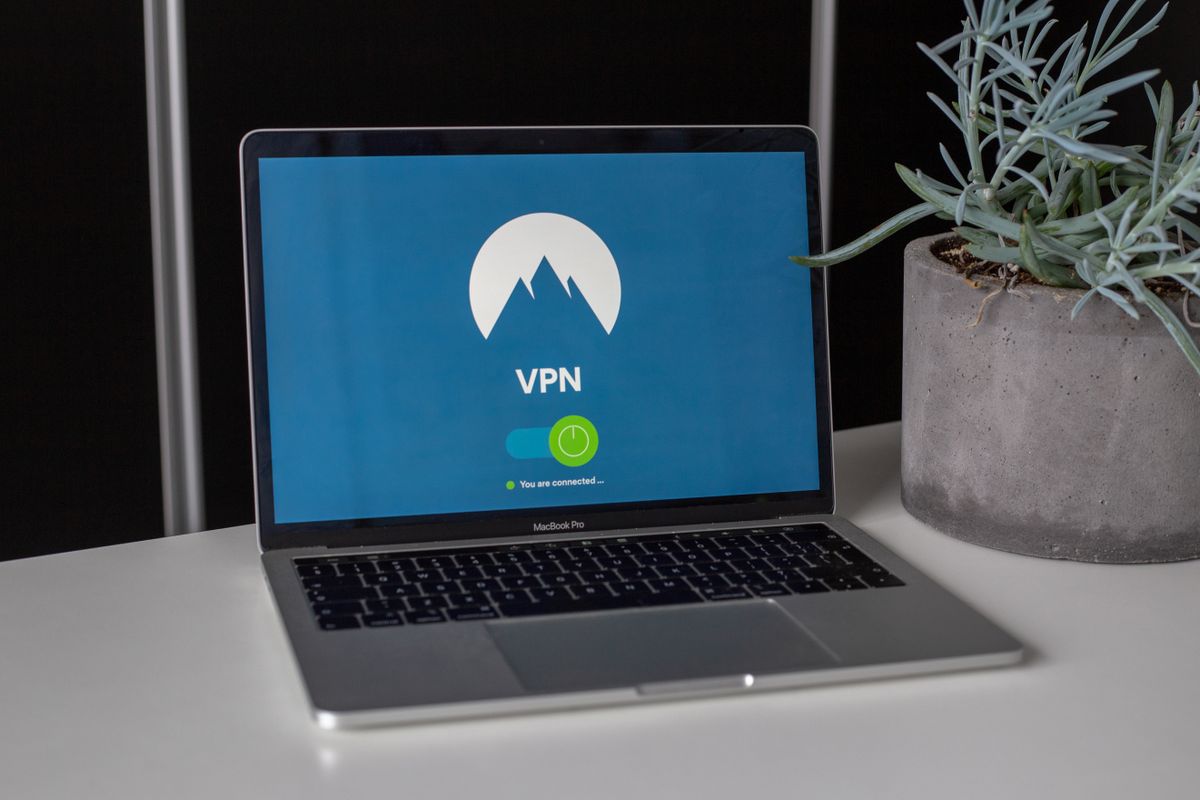
For a Steam Deck native who wants a one-click app and no fuss, Private Internet Access at $2.03/month on a 3-year plan is the right buy in 2026: a real Arch Linux client, audited no-logs, and the cheapest of the major providers on long commit. If you want the strongest privacy posture in the lineup and you don’t mind paying flat-rate, Mullvad at €5/month is the pick — no email at sign-up, an account-number system that doesn’t tie your subscription to a personal identity, and a Swedish company that publishes annual transparency reports. If you’d like a credible audited Swiss-jurisdiction option with a free tier you can try before paying, ProtonVPN at $2.99/month on the 2-year Plus plan is the third privacy-first pick. NordVPN at $3.09/month on the 2-year plan is the one to buy if your priority is the largest server network for reliable streaming-service unblocking abroad, accepting that the Steam Deck side needs a TunnelDeck workaround.
The reason most VPN-for-gaming content is wrong: VPNs do not reduce ping. They almost always increase it. Buying one for “lower latency” is a marketing myth that breaks under any real test. Buy a VPN for the legitimate reasons (hotel Wi-Fi security, content that geo-locks when you travel, gaming on restrictive networks), and let the ping question alone.
The five legitimate use cases for a portable gamer’s VPN
Most portable gamers don’t need a VPN. The ones who do, need it for a specific reason. Match yourself to one of these or you’re paying for nothing useful.
1. Public Wi-Fi security on travel. Hotel networks, airport lounges, coffee shops, and conference centres run unencrypted or weakly-encrypted Wi-Fi by default. Anyone else on the network can in principle inspect your traffic — Steam login flows, web sessions, anything not HTTPS-protected. A VPN encrypts the connection from your device to the VPN provider, making the local network operator and other users blind to your traffic. This is the single most defensible reason to own a VPN if you travel. Works on any device with a VPN client (Steam Deck, phones, laptops; on the Switch 2 you set it up at the router level — see below).
2. Watching content that geo-locks when you travel abroad. Netflix’s UK library is different from the US library. BBC iPlayer refuses to play outside the UK at all. Disney+ varies by region. Xbox Game Pass Cloud Streaming, Apple TV+, Paramount+ — every streaming service applies different rules. If you’re a UK-based gamer travelling in Dubai and you want to finish a Doctor Who run on iPlayer in your hotel room, you need a VPN that can route you back to a UK IP. NordVPN is the strongest of the four picks here for streaming-service unblocking; ProtonVPN handles the major services reliably; Mullvad and PIA are weaker on this axis because privacy-first providers prioritise simple WireGuard tunnelling over the cat-and-mouse work of evading streaming detection.
3. Gaming on restrictive networks. Workplace, school, conference Wi-Fi, hotel chains with corporate firewalls. These networks frequently block gaming traffic, Steam connections, or Discord voice. A VPN routes around the block at the network layer. The catch: many corporate networks also detect and block VPN traffic itself, especially deep-packet-inspection setups in enterprise environments. NordVPN’s obfuscated servers are the strongest at slipping past this; ProtonVPN’s Stealth protocol works in similar environments. Mullvad’s WireGuard-only stance means it’s easier to detect at the network layer, which is fine on hotel Wi-Fi and a problem on a corporate guest network with active VPN-blocking.
4. Cloud gaming through awkward routes. GeForce Now, Xbox Cloud Gaming, and Sony’s PlayStation Plus streaming all work in some regions and not others, and even where they work, network conditions matter. A VPN can sometimes provide a more direct route to the cloud provider’s edge servers than your ISP’s default routing. Sometimes. Test before paying.
5. The honest mention of regional pricing. Steam, Nintendo eShop, and the PlayStation Store all charge different prices in different regions. A VPN can in principle make your device appear to be in a cheaper region. Doing this for purchases violates Steam’s Terms of Service and can get your account suspended or banned. Steam tightened policy further in 2025: changing your store country now requires a payment method registered in that country, rather than only an IP from there. If you’re moving abroad legitimately, this is fine. If you’re trying to buy Cyberpunk at the Argentine price from your London flat, it isn’t. Use legitimate key sites instead; our cross-saves guide and Steam Deck vs Switch 2 cornerstone reference the better path.
If none of those five fit, you don’t need a VPN. Save the $40/year.
The ping myth, debunked
VPN providers market “optimised gaming servers” and “low-latency routes” because gaming is a high-value segment. The data does not support the marketing.
In a tested sample of 5 VPN services across 12 game servers (60 scenarios total), a VPN reduced ping in 2 cases (3.3%). In the remaining 58 scenarios, ping increased between 5 and 40 milliseconds. The reason is mechanical: your traffic now travels through an additional server, an encryption layer, and a longer route to the destination. That overhead is fixed cost. The rare exception is when your ISP’s routing was already broken or congested, and the VPN happens to have a more direct path; that’s an edge case, not a feature.
If your goal is lower ping for competitive games, the answer is: a wired connection, ethernet on the Deck via a USB-C dock, the nearest official game server, and not a VPN. Buy a VPN for the use cases above, not for latency.
The four picks worth paying for
Committed verdicts. Three privacy-first options and one commercial-strength outlier, by use case.
Private Internet Access: best for Steam Deck native users
PIA is the right pick if your portable life is Steam Deck-centric and you want the VPN to be a first-class app on the device.
- $2.03/month on a 3-year plan; the cheapest of the major options at long commit
- Native Linux app with full Arch compatibility, both CLI and GUI install paths — works directly on SteamOS without third-party plugins
- Open-source clients, court-verified no-logs policy (PIA has been served subpoenas in US court and produced no usable logs because the architecture doesn’t keep them)
- Large server network (~30,000 servers across 90 countries)
- Weaker on streaming-service unblocking than NordVPN; if you mostly want a VPN to watch iPlayer abroad, that’s not its strength
PIA is the practical winner for a SteamOS owner whose VPN use is mostly hotel-Wi-Fi security and occasional workplace-network routing. The court record on the no-logs claim is the strongest in the industry. It loses to NordVPN if streaming unblocking is your main use case.
3-year deal (affiliate tracking pending programme approval). Placeholder-fallback pattern in effect until the partner ID lands.
Mullvad: best for privacy purists who don’t want a personal identity attached to the subscription
Mullvad is the right pick if you take VPN privacy seriously enough to care about how your subscription is bought and how your account is linked to you.
- Flat €5/month forever, regardless of subscription length. No annual-commit gimmicks, no 75%-off promo cycles, no price changes since 2009.
- Account-number sign-up. No email required, no name, no payment method needed at account creation. The provider issues a 16-digit account number; you load credit onto that number with whatever payment method you choose. Cash by mail still works, alongside crypto and credit cards.
- WireGuard-only since early 2026, when Mullvad retired OpenVPN support. Faster than OpenVPN-based tunnels, simpler to detect at the network layer.
- Audited no-logs policy (Assured AB), RAM-only servers, open-source clients across every platform.
- Native Linux app with Arch support — installs cleanly on SteamOS without third-party plugins. Same install pattern as PIA on the Deck.
- 5 simultaneous connections. Smaller server network than NordVPN or PIA (~700 servers across 40-odd countries) but each server runs more capacity per node and the company publishes per-server uptime stats.
- 10% discount for cryptocurrency payment (Bitcoin, Monero, BTC Lightning).
The honest caveats: Mullvad is more expensive than the commercial-tier options on long commit (€5/month is roughly $5.50, versus $2-3 from PIA, Proton, or Nord on 2-3 year plans). Streaming unblocking is weaker than NordVPN’s by a clear margin — Mullvad isn’t trying to play the cat-and-mouse game with Netflix, BBC, or Disney+ endpoint detection. And the smaller server network means fewer exit-country options than the major commercial brands.
What you’re paying the premium for: a provider whose business model and account architecture are designed around not knowing who you are, in a Swedish jurisdiction with relatively privacy-friendly law, with a track record going back to 2009 of not changing the pricing or the practice.
flat EUR5 monthly. Mullvad does not run a traditional affiliate programme, so the marker falls back to a plain link permanently.
ProtonVPN: best for users who want audited privacy and a free tier to try first
Proton’s VPN is the third privacy-first pick. The reasons:
- Free tier with no time limit and no data cap, restricted to 3 server countries and single-device use. Throttled vs. paid but enough to evaluate the apps and clients before committing.
- $2.99/month on the 2-year Plus plan ($2.49 with the recurring 75%-off promo cycle), $9.99 monthly.
- Swiss jurisdiction. Switzerland is outside the 5/9/14 Eyes intelligence-sharing alliances, and Proton has fought court orders in Swiss courts when required to (with mixed results — read the transparency reports before deciding how much weight to put on jurisdiction).
- Audited no-logs policy, RAM-only Secure Core architecture for multi-hop routes, open-source clients across every platform.
- Native Linux CLI with official Arch support — install instructions on Proton’s own site cover Arch directly. Steam Deck users can also pull the WireGuard config from the Proton dashboard and load it into SteamOS settings if they prefer not to use the CLI.
- 10 simultaneous connections on Plus.
- Stealth protocol for getting through restrictive networks (Mullvad doesn’t have an equivalent; PIA does, called Shadowsocks).
The honest caveats: streaming-service unblocking on Proton works but isn’t best-in-class — Netflix US generally works, BBC iPlayer is consistent, Disney+ varies by edge case. NordVPN is a tier stronger here. The free tier is a real product, but the marketing aggression around upgrades inside the app is also real.
What you’re paying for: audited privacy in Swiss jurisdiction, a working free tier, and one of the most polished cross-platform app suites in the industry.
2-year Plus deal (affiliate tracking pending programme approval)
NordVPN: best for streaming unblocking and the largest server network
NordVPN earns its place in the lineup as the commercial-strength outlier. If your main reason for owning a VPN is access to home-country streaming services from a hotel abroad, this is the pick.
- $3.09/month on the 2-year Basic plan, $4.99/month on the 1-year plan
- 6,000+ servers across 110+ countries — the largest network among major providers, which translates directly to reliable streaming-service unblocking even when Netflix or BBC plays whack-a-mole with VPN endpoints
- NordLynx protocol (WireGuard-derived) is the fastest of the major options for non-gaming workloads
- Threat Protection blocks malicious sites and trackers on top of the VPN itself; useful on dodgy hotel networks
- Meshnet creates a private encrypted network between your own devices — real use for hosting your own multiplayer servers off your home connection
- Audited no-logs policy, with the audit limited to specific time windows rather than continuous (worth knowing for the privacy comparison)
The honest caveat for Steam Deck users: NordVPN’s Linux app does not work natively on Arch Linux. SteamOS is Arch. You can run it via TunnelDeck (a community Decky plugin that wraps NordVPN’s WireGuard config), but it’s a workaround, not a supported app. If your portable gaming is mostly Switch 2 plus a phone plus a laptop, this is irrelevant; if you’re a Steam Deck native and want a one-click app on the device itself, Nord is the wrong pick — drop down to PIA, Mullvad, or Proton.
The privacy-first lineup above (PIA, Mullvad, Proton) all have native Arch / SteamOS install paths. Nord is the only one of the four that doesn’t.
Affiliate link: 2-year Basic deal on NordVPN — tracked via Nord’s affiliate programme.
The portable gamer comparison at a glance
| What you care about | PIA | Mullvad | ProtonVPN | NordVPN |
|---|---|---|---|---|
| Price (longest commit) | $2.03/mo (3y) | €5/mo (flat) | $2.99/mo (2y) | $3.09/mo (2y) |
| Free tier? | No | No | Yes | No |
| Native Steam Deck (Arch) app | Yes | Yes | Yes (official Arch) | No (TunnelDeck workaround) |
| Server count | ~30,000 / 90 countries | ~700 / 40 countries | ~6,000 / 110 countries | 6,000+ / 110 countries |
| Streaming unblocking | Mixed | Weak | Good | Best |
| Simultaneous devices | Unlimited | 5 | 10 | 10 |
| Gaming-network restriction bypass | Shadowsocks | None | Stealth protocol | Obfuscated servers |
| Threat / ad blocking included | PIA MACE | DNS-level only | NetShield | Threat Protection |
| Audited no-logs | Court-verified | Yes (Assured AB) | Yes | Yes (time-windowed) |
| Sign-up requires email? | Yes | No (account number) | Yes | Yes |
| Jurisdiction | USA | Sweden | Switzerland | Panama |
| Best for | Steam Deck purists | Privacy purists | Audited privacy + free tier | Streaming abroad |
| Will it lower your ping? | No | No | No | No |
How to actually use a VPN on Switch 2 and Steam Deck
Different devices, different setup paths. Worth knowing before you pay.
Steam Deck: PIA, Mullvad, and ProtonVPN all install as native apps with Arch support — no third-party plugins, no command-line gymnastics for the GUI flow. Mullvad’s app is the cleanest of the three on first install; PIA’s GUI is the most feature-rich; Proton’s CLI is the leanest if you want a scripted setup. NordVPN is the outlier: no native Arch app, so you’re either running TunnelDeck (the Decky community plugin that wraps Nord’s WireGuard config) or doing the WireGuard setup manually. For users who want it Just Working without command-line involvement, any of the three privacy-first picks is the path of least resistance.
Switch 2: No native VPN apps. The only practical route is to set up the VPN at your home router or use a travel router (the GL.iNet Beryl AX is the standard portable gamer’s pick — pocket-sized, plug into hotel Ethernet, broadcasts a VPN-protected Wi-Fi network to the Switch 2). The travel router approach is the standard for any device without a VPN client: Switch 2, Switch, smart TV, gaming consoles in general. Cost is around $100 once and covers everything you carry GL.iNet Beryl AX travel router. All four picks here support travel-router WireGuard configuration.
Phone or laptop also in the bag: Install the VPN provider’s native app. This handles your laptop and phone traffic; the Switch 2 needs the router method separately. The Steam Deck handles its own with whichever provider you picked.
When the VPN isn’t the answer
A few specific situations where I would actively recommend against using a VPN:
You’re trying to buy games cheaper. This violates Steam’s terms and can get you banned. Use PC key store or PC key store for legitimate price cuts on PC keys; both routinely beat eShop and Steam pricing without any ToS risk. Switch eShop prices are firm but physical retail discounting on Switch 2 cards is real.
You’re trying to lower competitive gaming ping. Won’t work, see above. Use a wired connection through your Steam Deck dock, pick the nearest official server, and exit Discord background syncing during ranked matches.
You want general internet privacy on a Switch 2 at home. A VPN is overkill for this. Your home network is encrypted at the Wi-Fi layer (assuming WPA2 or WPA3), and HTTPS handles most traffic privacy. VPN at home is for specific use cases, not default protection.
What I’d actually buy
If you only travel two or three times a year and your gaming is mostly at home, you don’t need a VPN. The use cases above don’t apply often enough to justify even $3/month.
If you live on a Steam Deck and want zero-friction install with the cheapest long-commit price: PIA at $2.03/month on the 3-year plan. The court-verified no-logs claim is the strongest in the industry. You lose streaming unblocking strength, you gain a native app and the lowest price.
If you take VPN privacy seriously and want the strongest sign-up and account architecture in the market: Mullvad at €5/month flat. More expensive than the commercial-tier options on long commit, but the account-number system and the never-raised-prices track record are real distinctions you don’t get elsewhere. The Arch-native app puts it on equal Steam Deck footing with PIA.
If you want audited privacy in Swiss jurisdiction with a free tier to evaluate before paying: ProtonVPN. Start free, upgrade to Plus at $2.99/month on the 2-year plan if the apps work for you. Native Arch install for SteamOS.
If your main reason for owning a VPN is reliable streaming-service unblocking on a hotel TV abroad, and you don’t mind the TunnelDeck workaround on the Deck: NordVPN at $3.09/month on the 2-year plan. The largest server network, the strongest streaming-evasion track record, and Threat Protection on top of the tunnel itself.
The one I would not buy: any obscure provider you’ve never heard of marketing “gaming-optimised low-latency routes.” The latency claim is misleading at best, and the privacy track record on small providers is genuinely a risk.
Frequently asked questions
Do I need a VPN for portable gaming? Only if one of these applies: you regularly use hotel or public Wi-Fi, you want to watch home-country streaming services while travelling, you game on restrictive networks (work, school, conference), or you need encrypted privacy for sensitive accounts on the move. If your gaming is mostly at home on your own Wi-Fi, a VPN adds cost and complexity without solving a real problem you have.
Will a VPN lower my ping in online games? Almost never. In tested samples, VPNs reduced ping in roughly 3% of scenarios and increased it (typically by 5-40ms) in the other 97%. The marketing claim that VPNs “optimise gaming routes” doesn’t hold up under measurement. Buy a VPN for security and access reasons, not latency.
Is it safe to use a VPN with Steam? Yes, for privacy and security. No, for trying to buy games at cheaper regional prices. Steam’s Terms of Service prohibit using a VPN to circumvent regional pricing, and Valve actively enforces this with account restrictions. Steam tightened policy in 2025: changing your store country now requires a payment method registered in that country, rather than only an IP. Use a VPN for hotel Wi-Fi and content access; don’t use it for price arbitrage.
Which VPN works natively on the Steam Deck? Three of the four picks in this guide do: Private Internet Access, Mullvad, and ProtonVPN all run natively on Arch Linux (which SteamOS uses) with both CLI and GUI install paths available. PIA’s GUI is the most feature-rich, Mullvad’s is the cleanest on first install, and Proton’s CLI is the leanest for scripted setup. NordVPN is the outlier — its Linux app does not support Arch, so SteamOS users are running it via TunnelDeck (a community Decky plugin) or doing the WireGuard configuration manually.
Can I use a VPN on my Nintendo Switch 2? Not directly. The Switch 2 has no native VPN client. The standard workaround is a travel router (GL.iNet Beryl AX is the common pick) that connects to hotel Ethernet, runs the VPN itself, and broadcasts a VPN-protected Wi-Fi network that the Switch 2 connects to as normal. Cost is roughly $100 for the router and works for any device without a VPN client. For an at-home setup, configure the VPN on your home router (DD-WRT, OpenWRT, or any router with built-in OpenVPN or WireGuard support).
Is Mullvad worth €5/month when other VPNs cost half that on long commits? Depends on what you’re paying for. If your priority is the cheapest VPN that handles hotel Wi-Fi and works on a Steam Deck, PIA at $2.03/month on the 3-year plan beats Mullvad on price by a clear margin. If your priority is the strongest privacy architecture in the market — flat-rate pricing with no annual gimmicks, account-number sign-up that doesn’t require email or name, Swedish jurisdiction, a track record of not changing the pricing since 2009 — then €5/month is the right buy for that specific posture. Most portable gamers don’t need it; the ones who do, know who they are.
Is the ProtonVPN free tier actually usable? Yes, with real limits. Three server countries (United States, Netherlands, Japan as of 2026), single-device use, no port forwarding, throttled speeds versus paid. Good enough to evaluate the apps, test compatibility with your Steam Deck setup, and handle occasional hotel Wi-Fi use if you’re willing to live with the country restriction. Not good enough for daily use if you also want streaming-service access — for that you need Plus.
How much should I pay for a VPN in 2026? Long-commitment pricing has settled around $2-3 per month for major commercial providers (NordVPN $3.09 at 2y, PIA $2.03 at 3y, ProtonVPN $2.99 at 2y). Mullvad is the price outlier at flat €5/month with no commit discount. Monthly subscriptions are $10-13 across the board and are the wrong way to buy if you’ll use it for a year or more. Avoid lifetime deals; the providers offering them tend to be ones you should not trust your traffic to.
Does a VPN help with cloud gaming on the Switch 2 or Steam Deck? Sometimes, but not by reducing latency. The cases where a VPN helps: your ISP’s routing to the cloud provider’s edge servers is suboptimal, and the VPN happens to have a shorter path. The cases where it hurts: most of the time, because you’ve added an encryption layer and an extra server hop. Test on a free trial (Proton free tier works for this) before paying for a year specifically for cloud gaming.
Can I use a free VPN for portable gaming? ProtonVPN’s free tier is the only free VPN I would recommend for any real use, because Proton’s paid business model funds the free tier rather than data sales or ad injection. Every other “free VPN” makes money by logging and selling your traffic data, throttling speeds, capping bandwidth, or running ads inside their clients. For hotel Wi-Fi security specifically, those alternatives are meaningfully worse than no VPN at all, because you’ve handed your entire session to a provider whose business model is selling it. If you can’t justify $3/month for a real one, use Proton’s free tier or skip the VPN entirely.
What about Game Pass Cloud Streaming or PlayStation streaming? Both services geo-restrict by your account’s home region. A VPN can route around basic IP-level blocks, but Microsoft and Sony also check account region against payment method, and Microsoft’s xCloud has been known to deny connections from known VPN endpoints. NordVPN works most reliably for both because of the server-pool churn rate; ProtonVPN is the second pick. Mullvad and PIA are weaker here because they don’t optimise for streaming-service evasion.
Should I get the cheapest VPN or pay for a name brand? Name brand. The four picks here (PIA, Mullvad, Proton, Nord) all have audited no-logs policies, established legal track records, and the operational maturity to handle hotel Wi-Fi reliably. Mid-tier providers cut corners on logging, customer support, and streaming-service capability. Saving $1/month on a less-established provider is the wrong trade for traffic that includes your Steam login, banking apps, and email on a hotel network.
How does a VPN work with Indiana Jones and the Great Circle or FF7 Rebirth for cross-play and cross-save? A VPN does not change the cross-save mechanism. Cross-save depends entirely on whether the game uses an account-based cloud system (covered in our cross-saves guide). Running a VPN on either platform during play does not add cross-save where it did not exist; it only changes which IP your traffic appears to come from. For most major games this is irrelevant; for games with region-locked servers, a VPN can occasionally connect you to a different regional shard, but that is a multiplayer routing question, not a save-data question.