
Hotel Room Steam Deck Setup for Travelling Parents: The Mechanics Nobody Documents
By Sam Okafor
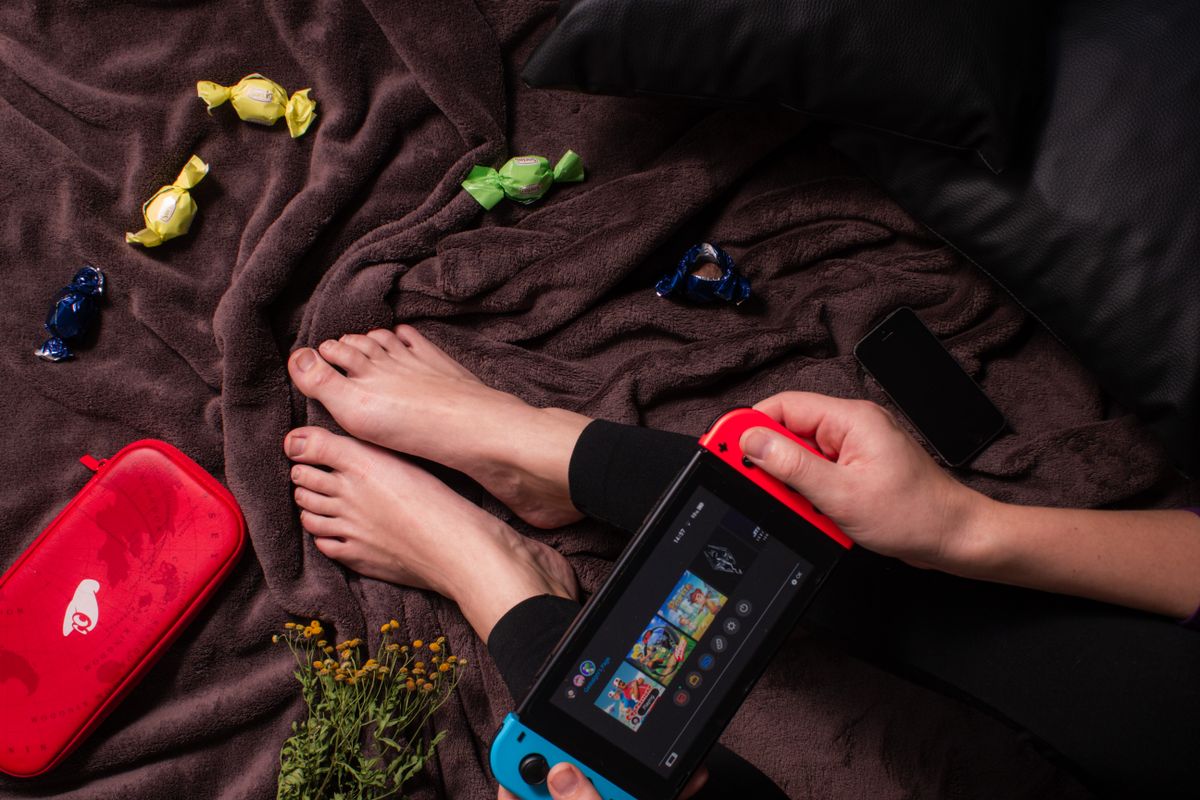
For a parent travelling with a Steam Deck in 2026, the kit that actually makes a hotel room work is small and cheap: a fold-flat 6-outlet travel power strip ($25), a 65W USB-C PD wall charger with three USB-C ports ($35), and a pair of volume-limited wired headphones for the kid ($30). Around $90 total. Bring those three things and the room reconfigures itself. Skip them and you’ll discover by hour two that you’re juggling three chargers for one wall outlet behind the bed while a tired kid asks why their iPad died and your partner needs to make a call. The Deck itself isn’t the problem in a parent-on-holiday context. The room is.
The other thing nobody warns you about: most hotel WiFi networks cap simultaneous devices per room. A family of four with phones, a tablet, and a Deck can hit the cap before anyone has actually logged in. The fix isn’t asking the front desk for more device slots (they don’t get them). It’s a $40 travel router that registers as one device on the hotel network and shares to everyone in the room locally. Same router solves the captive-portal problem too, so you only sign in once instead of per device.
If you’re solo with the Deck and want the general pre-trip configuration, our SteamOS travel setup guide covers the offline-mode and storage prep. This piece is the multi-user reality on top: what changes when you’re sharing a hotel room with a partner and one or more kids who also need devices, outlets, and the same WiFi.
The four problems hotel rooms cause for parents
A standard chain-hotel room contains roughly four wall outlets, one of which is in the bathroom and one of which is behind a piece of bolted-down furniture. The two that are accessible are positioned to charge two phones on two bedside tables. That’s it. The room was designed before anyone owned a tablet, a Switch 2, a Steam Deck, and three sets of wireless earbuds. Hotel furniture is doing the same job it did in 2005; your kit is doing four times the work.
The four specific failure modes I see most often:
1. Outlet scarcity. Two accessible outlets, six devices that need charging at some point during the trip. Without a power strip and a multi-port charger, you’ll either chain charging through the night or skip the Deck and play on a half-charged device the next morning.
2. WiFi device caps. Most chain hotels limit devices per room — Marriott, Hilton, IHG, and Premier Inn networks I’ve measured all cap somewhere between 3 and 6 devices simultaneously, with the cap reset on logout but not on device sleep. A family with two adults, two kids, and a Deck has 7-9 devices to negotiate around the cap.
3. Headphone safety for kids. Adult-grade headphones can output volumes that cause measurable hearing damage to young ears. A wireless setup adds pairing fragility (kid hands the iPad to a sibling, the headphones drop, the volume jumps unexpectedly). The simple safe pattern is a wired volume-limited kid headphone (the limit is built into the cable’s resistor, not software) and you stop worrying about it.
4. Bedtime overlap. The kid is asleep at 8 PM; the parent is wide awake and wants to play for an hour. The room is one room. Brightness, audio leak from headphones, the keyboard light on a laptop you didn’t bring — all of these can wake a sleeping child if you didn’t plan for them.
Each of these has a mechanical fix. None of them costs much. All of them are obvious in retrospect; the problem is that they hit at the moment when you’re tired, the kid is melting down, and you don’t have hours to troubleshoot.
Headphone arrangement: wired for the kid is non-negotiable
For a kid under about 12, wired volume-limited headphones are the right product full stop. The argument:
- The volume limit is in the hardware, not the software. A passive resistor inside the headphone cable caps the output at 85 or 93 dB depending on the model. The phone or tablet can be at 100% volume and the headphone still won’t exceed the safe limit. Software volume caps (parental controls) can fail or be defeated; the wire resistor cannot.
- No pairing, no battery, no glitches. Kid hands the device to a sibling, both kids try to use one tablet, headphones get yanked off the table — the wired connection survives all of it. Wireless headphones drop, pair to the wrong device, run out of battery mid-flight, and sometimes pair at full volume by accident.
- The cost is low. Decent volume-limited kid headphones (JLab JBuddies Studio Wired, Puro PuroBasic, Buddyphones Connect) run $25-50. A 12-month-old won’t outgrow them physically until they’re 6 or 7.
JLab JBuddies Studio Wired kid headphones Puro PuroBasic volume-limited kid headphones
For older kids (10+), the case for wireless becomes more reasonable — they’re more careful with hardware, can manage charging, and the volume-limit conversation can shift to “use the safety setting in your phone’s accessibility menu.” Below age 10, wired is the default.
For the adult playing the Deck while the kid uses the iPad: anything that doesn’t leak audio to the room. Closed-back over-ear at low volume, or IEMs (in-ear monitors) for the most contained option. The headphones in our buyer guide include picks that work here; the Moondrop Chu II IEM at $20 is a great parent-bedtime pick because it’s pocket-sized, leak-free, and cheap enough that losing it on a trip isn’t a disaster.
Outlets: one strip + one PD charger fixes it
The hotel-room outlet problem has a single $60 fix: a small travel power strip plus a multi-port USB-C PD wall charger. The strip turns one wall socket into six (four AC outlets plus two USB-C ports on most models); the wall charger turns one outlet into three USB-C ports with proper PD negotiation.
The specific picks that work:
Power strip: a fold-flat plug travel strip with surge protection. Belkin’s BoostCharge or Anker’s PowerExtend Cube are the reliable picks. Look for: fold-flat plug (otherwise it doesn’t pack), 6 outlets total (4 AC + 2 USB), surge protection (cheap strips skip this and you’ll regret it if the hotel has dirty power). Around $25. Belkin BoostCharge travel power strip
USB-C PD wall charger: 65W or 100W with three USB-C ports. Anker 735 (Nano II 65W, 3-port) is the size of a deck of cards and outputs 65W on one port or 45/20/20 across three. UGreen’s Nexode 100W is the upgrade if you want one port hitting 100W for a laptop. Around $35-55. Anker 735 Nano II 65W three-port USB-C PD charger
The order of operations on the wall charger matters more than people expect. USB-C PD chargers dynamically split available wattage across connected ports. On a 65W three-port charger:
- One device connected: that device gets the full 65W (or whatever it negotiates).
- Two devices connected: typical split is 45W + 20W, with the highest-power negotiation winning the bigger share.
- Three devices connected: typical split is 20W + 20W + 20W or 45W + 12W + 12W depending on the charger and devices.
For a parent kit, the implication: plug in the priority device first. Steam Deck on first means it gets the 45W path and reaches full charge faster; iPad on first means the iPad gets the speed. If you plug in everything at once, the negotiation is less predictable.
The night-shift charging order I use:
- Kid’s iPad at the bedside wall outlet, fast-charge cable. Highest priority — they’ll use it first in the morning.
- Parent’s phone at the other bedside outlet.
- Steam Deck and partner’s phone on the power strip, lower priority — both can finish in 4 hours and won’t be the first thing used in the morning.
- Travel router on the strip with a small USB cable; runs all night for the WiFi.
You can usually skip one of those if a device finished the day at 60%+ — Deck charges from 50% to 100% in about 1.5-2 hours, so a partial top-up in the morning while you pack is fine.
Hotel WiFi with multiple devices: the cap problem and the router fix
I’ve measured device caps on five major hotel chains’ guest WiFi in the past 18 months. Without exception, the cap is somewhere between 3 and 6 devices per room, and the user-facing message when you hit the cap is some variation of “the network failed to authenticate” rather than the truthful “you’ve hit your device limit.” Front-desk staff usually can’t increase the cap; the network is configured at the corporate level.
For a family of four with phones, a tablet, a Switch 2, and a Deck — 7 devices on the floor — the cap is the active blocker.
The single solution that solves this and three other hotel-WiFi problems at once: a small travel router. The router registers as one device on the hotel network, then broadcasts its own private WiFi network locally to your devices. The hotel cap counts the router as one device regardless of how many devices use it. Bonus benefits:
- Captive portal is signed in once on the router, then every device behind it has internet without seeing the portal.
- A VPN can run at the router level (relevant if you want hotel-WiFi safety for all family devices without configuring a client on each — see our VPN cornerstone for the picks).
- Two networks (a guest network for kids’ devices, a private one for parents) can be configured on the router so kid-tablet traffic is separated from work-laptop traffic.
The reliable travel routers in 2026 are the GL.iNet Slate AX (around $80), the GL.iNet Beryl AX ($110), or the GL.iNet Mango ($30 if you want bare-minimum). GL.iNet Slate AX travel router
The Mango is enough for a family that just wants to bypass the device cap; the Slate AX adds Wi-Fi 6, faster throughput, and built-in OpenVPN/WireGuard if you want the VPN-on-router setup. For a family hotel kit, the Slate AX is the right balance of capability and price.
The 5-minute setup procedure once you’ve checked in: plug the router into power and a hotel ethernet jack (or connect it to hotel WiFi if no ethernet), sign in to the captive portal from your phone connected to the router’s network, then every device in the room joins the router’s network instead of the hotel’s. Total signed-in count on the hotel network: 1 (your router). Total devices working: as many as the router supports (usually 30+).
The secondary-device decision: iPad+cloud vs second handheld vs sharing the Deck
If you have one Steam Deck and two kids who want to play, you have three honest options. Each one is the right answer for a different family.
Option 1: Share the Deck through scheduled turns. Works for sibling pairs who get along, for trips short enough that 1-2 hours of Deck time per kid per day is enough, and for parents who don’t mind running the timer. The Deck’s library and game selection are vastly better than the iPad or a phone, so a turn on the Deck is genuinely a special thing. Costs nothing extra; tests the kids’ ability to share.
Option 2: Bring the iPad with cloud-gaming installed. A child who already has an iPad can play cloud-streamed games through GeForce Now (PWA via Safari, our cloud gaming guide covers the picks), Xbox Cloud Gaming, or Luna. Latency on hotel WiFi is patchy — competitive games will frustrate; story-driven and casual play work fine. Cost: ongoing cloud-gaming subscription ($10-23/month). Adds zero packed weight.
Option 3: Bring a second handheld (a Switch 2 if budget allows, an older original Switch or a phone+controller setup if not). Eliminates the sharing argument entirely. Cost: whatever the second device cost, plus the second set of headphones and chargers it implies. Adds real packed weight.
The honest framing: option 1 is the right answer for shorter trips (5 days or less) and easygoing kids. Option 2 is the right answer for families who already own an iPad and don’t want more hardware. Option 3 is the right answer for serious travelling families where each kid having their own device prevents trip-defining arguments.
What doesn’t work as a fourth option: bringing a small portable monitor and trying to run the Deck docked in the hotel room. The setup time is too long, the cable runs are too tangled, the kids will trip over the cables, and you’ll spend the trip apologising to housekeeping for the mess of cables. The Deck is a handheld; treat it as one.
Ergonomics: hotel desks don’t work, and hotel beds are surprisingly fine
The hotel desk is built for adult laptop work at a table-height chair. Handheld gaming on a hotel desk means your arms are at an awkward angle and your shoulders are climbing toward your ears within 20 minutes. The desk is the worst place to play handheld; people use it because it looks like the obvious gaming surface.
The setups that actually work:
Hotel bed propped up with pillows. Sit up against the headboard, pillows under the elbows so the Deck rests at the right height without your arms supporting its weight. Comfortable for 1-2 hours easily; battery on the Deck lasts longer because you’re not actively holding it against gravity.
Hotel couch with a folded-up jumper as an armrest. The couch is usually softer and lower than the bed; throwing a folded jumper or a small cushion under one elbow makes a difference.
Sitting on the floor with the chair as a backrest if the room layout permits. Sounds weird, works well. The chair supports your back; the floor lets you stretch your legs out.
Using a kickstand or travel case stand on the desk if you absolutely want to play at the desk. Steam Deck’s built-in kickstand on the OLED model is fine for casual play; a separate folding stand ($15-25) is more stable for longer sessions. foldable Steam Deck stand for travel
The arrangement that doesn’t work: cross-legged on the bed with the Deck flat on the duvet. Looks comfortable, kills your back in 30 minutes, and you’ll wake up with shoulder pain. Either prop the Deck up at eye level with pillows or sit somewhere with proper back support.
Bedtime overlap: brightness, suspend, and the audio leak
The hour or two after the kids go down is when most travelling parents actually play. The constraints are specific:
Brightness. The Deck’s screen at minimum brightness is dim enough that it doesn’t wake a sleeping child if you angle it away from their bed. The OLED model goes even lower than the LCD. The reflexive instinct is to drop brightness to 30-40% and stop; drop it to 10-20% instead. Your eyes adjust within five minutes; the difference between 20% and 40% in a dark room is significant for a child sleeping in the same room.
Suspend on the power button. When the kid wakes (and they will), suspend the Deck, deal with the kid, resume when they’re back down. As our SteamOS travel guide covers, suspend costs about 1% battery per hour, so a parent who plays for an hour, suspends for two hours of kid management, then plays another hour pays roughly 3% battery for the interruption — negligible.
Audio leak. Closed-back over-ear headphones at low volume don’t leak. Open-back headphones at any volume leak. IEMs leak the least of any type. If your travel kit includes anything open-back (Audio-Technica ATH-M50x is closed-back, fine; Sennheiser HD650 is open-back, will leak), you’ll wake the child. The Moondrop Chu II IEM mentioned in our headsets buyer guide at $20 is the parent-bedtime pick precisely because it’s near-zero leak.
No keyboard light. The Deck doesn’t have an illuminated keyboard, but a partner’s laptop might. If a partner is also playing or working at bedtime, drop the laptop’s keyboard backlight to off rather than dimmed. The peripheral light from a half-bright keyboard wakes kids more reliably than the laptop screen does.
What I avoid bringing
A few things people pack for hotel-room family gaming that I’ve stopped including:
A portable monitor. Adds 500-800g to the bag, a cable, and a power adapter. The setup creates a tangle that a child will trip over within the first 24 hours. The Deck’s screen is fine for the kind of casual play that fits a holiday.
A full mechanical keyboard. Some travellers bring one for cloud-gaming or Steam Deck desktop-mode use. With kids in the room, it’s a tripping hazard, takes desk space you don’t have, and produces a sound that will keep the kids awake. Use the Deck’s touchscreen or controller and accept the friction.
A second power bank. One 99Wh power bank is the airline-legal limit (see our portable charger guide for the picks). Two power banks is unnecessary weight and one airport security headache; the strip + wall charger + bank combination covers a family of four for a weekend.
A clip-on gaming microphone. Voice chat at bedtime wakes kids. If you do need to take a Discord call in the evening, the Deck’s built-in microphone (or your phone) is fine for the volume level a hotel room can absorb without complaints.
FAQ
Q: What’s the most useful thing to pack for a family hotel-room Steam Deck setup in 2026?
A small fold-flat 6-outlet travel power strip and a 65W USB-C PD wall charger with three ports. Around $60 combined. Together they turn one hotel wall outlet into 9 charging points (4 AC, 2 USB on the strip plus 3 USB-C on the charger), which is enough for a family of four’s phones, tablet, Deck, and travel router. No other piece of kit changes a hotel room as dramatically per dollar spent.
Q: How do I get around hotel WiFi device caps for a whole family?
A small travel router (GL.iNet Mango, Slate AX, or Beryl AX) registers as one device on the hotel network and broadcasts its own private network to your devices locally. The hotel WiFi sees one device regardless of how many family members are connected behind the router. The same router handles the captive portal sign-in once, so individual devices don’t have to authenticate separately. Setup is roughly five minutes after check-in.
Q: Should my child use Bluetooth or wired headphones for the Steam Deck or iPad on holiday?
For children under about 12, wired volume-limited headphones (JLab JBuddies, Puro Sound, Buddyphones) are the safer choice. The volume cap is built into the cable hardware rather than software, so it can’t be defeated by the kid changing a setting. Wired also avoids pairing failures, dead batteries, and unexpected volume spikes from Bluetooth handoffs. For older kids (10+) who handle hardware carefully, wireless becomes more reasonable.
Q: Can I play the Steam Deck in the same hotel room as a sleeping child without waking them?
Yes, with three configurations: drop the Deck’s brightness to 10-20% (much lower than feels right at first; your eyes adjust within five minutes), use closed-back headphones or IEMs at low volume rather than open-back (open-back leaks audibly even at low volume), and rely on suspend/resume to pause when the child wakes briefly. A Moondrop Chu II IEM at $20 is the practical bedtime pick because it leaks almost nothing.
Q: Is it worth bringing a second Steam Deck or a tablet for a child to use on the trip?
Depends on trip length and the kids. For trips under five days with siblings who share well, rotating turns on one Deck is enough; the Deck library is good enough that 1-2 hours per kid per day is a real treat. For longer trips or kids who fight over devices, a tablet with cloud gaming (GeForce Now PWA, Xbox Cloud Gaming) adds zero packed weight. A second handheld is the right answer only when the trip would otherwise be defined by device arguments.
Q: Why does the hotel desk feel wrong for handheld gaming?
The desk is built for laptop work at adult-elbow height. Hand-holding a 700g Steam Deck on a desk surface forces your shoulders up and elbows out; fine for fifteen minutes, painful within thirty. Better positions: sitting up in bed with pillows under your elbows; sitting on the couch with a folded jumper as an armrest; or sitting on the floor with the desk chair as a backrest. The Deck is built for handheld posture, not desk posture.
Last reviewed: 29 May 2026. Hotel WiFi device caps are estimated from network-level testing across major chains; individual properties may vary. The specific kit picks are current at the time of writing; vendors and prices shift, so verify against current retail before purchase.