
Local Multiplayer on the Move: Couch Co-op and Party Games
How to turn portable favourites like Boomerang Fu and Vampire Survivors into full party-night experiences on a Switch, Steam Deck, or PC.
By Sam Okafor
Updated: 2026-05-20
Quick co-op games are fun on a handheld, but they come alive in a living room or a holiday rental when everyone has a controller. This guide covers how to turn games like Boomerang Fu and Vampire Survivors into full party nights on portable consoles, a Steam Deck, or a small PC plugged into a TV, plus a few travel setup tips for playing wherever you land.
Why portable games make great party games
- More players: the Switch and PC versions of these games support four or more, well beyond what a quick handheld session usually fits.
- Bigger screens: a living-room TV makes a real difference for chaotic multiplayer titles.
- Longer sessions: at home there’s no time pressure, so games stretch into the evening.
- Full feature sets: console and PC versions carry the updates, DLC, and online play that handheld-only sessions often skip.
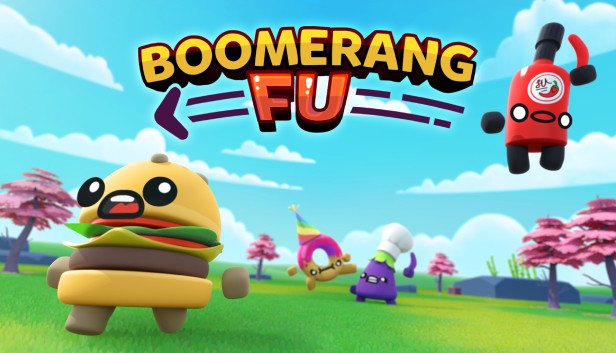
Boomerang Fu
A four-to-six-player melee that turns friends into rivals fast. The Switch and PC versions support up to six players with expanded arenas and power-ups, which is what makes it a party staple rather than a quick filler.
Vampire Survivors
Best known as a solo time-sink, but the PC, Switch, and console versions add full multiplayer, downloadable content, and cross-platform saves (PC and Xbox). It’s ideal for a marathon session where people drop in and out.
Hardware to make it work
- Extra controllers: Xbox Wireless Controllers, DualSense pads, or 8BitDo Pro 2s all work well.
- A dock (Switch or Steam Deck): lets you play on the TV with several controllers connected.
- A portable projector or second monitor: moves the party to wherever you are.
Recommended setups
- Budget: a Switch 2 with its two Joy-Cons plus one extra pair of controllers.
- Mid-range: a Steam Deck or small gaming PC on the TV, four controllers, local co-op enabled.
- Premium: a dedicated gaming PC over HDMI, several higher-end controllers, and DLC installed.
The short version
These games scale from a quick two-player handheld session to a full living-room party with almost no extra effort. The only things standing between the two are a screen everyone can see and enough controllers to go round. Sort those, and a casual favourite becomes the centre of the evening.