
Steam Deck OLED vs ROG Xbox Ally in 2026: The Honest Comparison After the Price Spike
By Jordan Hale
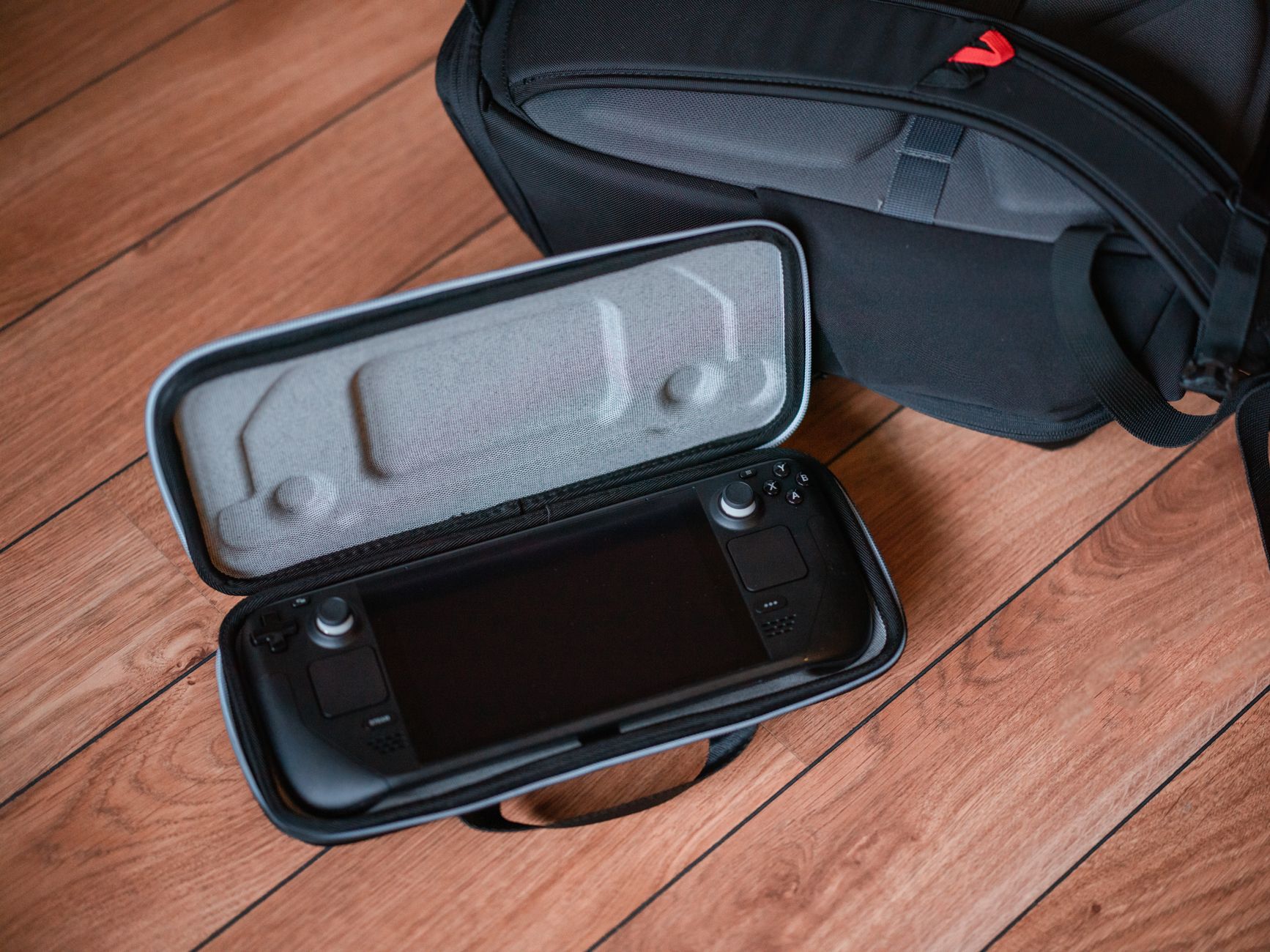
For a gamer buying a handheld PC in 2026, the right pick depends more on what you want from the operating system than on the silicon. The ROG Xbox Ally at $599.99 is the cheapest entry into the category and the best price-per-frame for someone happy on Windows 11 or willing to install SteamOS themselves. ROG Xbox Ally The Steam Deck OLED at $789 (512GB) or $949 (1TB) is still the buy for SteamOS-as-it-ships, the OLED screen, and the better battery life per session. Steam Deck OLED 512GB The ROG Xbox Ally X at $999.99 is the buy for the gamer who wants the higher performance ceiling, 24GB of RAM, and the flexibility to switch between Windows for Game Pass and SteamOS for everything else. ROG Xbox Ally X
Two events broke the 2025 version of this comparison and the buyer guides that still treat it as Windows-vs-Linux haven’t caught up.
April 2026: SteamOS 3.9 added official support for AMD handhelds including the ROG Ally line. You can now install SteamOS directly from Valve on a ROG Xbox Ally or Ally X without a community workaround like Bazzite. The “Linux is the Steam Deck feature” framing no longer holds — Linux is a choice you make on either device.
May 2026: Valve raised Steam Deck OLED prices by 44-46% due to the global RAM and NAND shortage (the “RAMageddon” caused by AI companies hoarding memory production). 512GB OLED went from $549 to $789. 1TB OLED went from $649 to $949. The Deck’s price advantage over the Ally X collapsed from $450 to $50. The “Deck is the budget option” line is dead.
This piece walks through what these two events actually mean for the buying decision in 2026. For the broader portable-gaming context including the Switch 2 angle, our Steam Deck vs Switch 2 cornerstone is the sibling cornerstone covering the cross-platform side.
What changed in 2026
Two events, in order.
Event 1: SteamOS 3.9, April 2026. Valve released the version of SteamOS that adds official AMD-handheld support beyond the Steam Deck. Lenovo Legion Go S has full official support; ROG Xbox Ally and Ally X have official installation instructions on Valve’s site but with some hardware features (haptics on Impulse Triggers, certain firmware-managed lighting) not yet fully integrated. The installation process is a USB bootable image plus a BIOS toggle. Community alternatives like Bazzite continue to exist and are sometimes ahead on specific hardware features; the official path is now the default for anyone who wants Valve-supported software updates on an Ally.
What this means practically: a buyer who wants the SteamOS UX, controller layout, suspend-resume behaviour, and Proton compatibility layer can now get it on Ally hardware. The OS is no longer a forced choice tied to the silicon.
Event 2: Steam Deck OLED price hike, late May 2026. Valve announced the increase with a brief note about “rising memory and storage costs.” The actual cause is the global LPDDR5 and NAND flash shortage driven by AI infrastructure buildout — large tech firms have been buying months of production capacity ahead of release, which has crashed availability for consumer-electronics-grade memory. The Deck OLED uses both LPDDR5 and NAND flash in its build, so the cost increase landed squarely on Valve. The base LCD Deck (no OLED, 256GB) is still available but has also seen price movement; the OLED line is the comparable model to the Ally X and gets the brunt of the discussion below.
The combined effect is that the 2025 framing — Linux Deck at $649 vs Windows Ally X at $999 — no longer maps to 2026 reality. In 2026 you have a Deck OLED 1TB at $949 vs Ally X at $999, both can run SteamOS, and the differentiators are the OLED screen, battery life, RAM ceiling, and ecosystem.
The OS choice is now genuinely a choice
The honest comparison for 2026 starts with what you want from the operating system, not the spec sheet. The hardware on the Ally X is strictly more capable than the Steam Deck OLED on raw silicon. That doesn’t decide the buy.
SteamOS-as-it-ships, Deck-OLED-only: zero install friction, suspend-resume that works reliably across game restarts, Valve’s verified-game program that flags compatibility issues per-title before you launch, the controller layout and trackpads that Valve designed around the OS, and one vendor handling firmware, OS, store, and warranty. The Deck’s real product is the integration, not the silicon.
Windows 11 on the Ally line: all your Game Pass titles run natively, Xbox cloud integration including cloud saves and Quick Resume across devices, every PC game’s anti-cheat and DRM that doesn’t talk to Proton runs normally, and you can install whatever launcher you want (Epic, GOG, Battle.net, Steam itself). The cost is the Windows experience on a 7-inch handheld — desktop-grade OS shoved into a controller-driven shell, with menus and dialogues that weren’t designed for the form factor. Asus’s Armoury Crate SE tries to wrap this but isn’t as integrated as SteamOS.
SteamOS officially installed on Ally hardware (April 2026 path): you get the SteamOS UX on the Ally’s better silicon. Bazzite testing through the year showed 24-30% higher average FPS on Linux than Windows 11 on the same Ally hardware in mid-range power modes, and noticeably better frame-time consistency. The trade-off: some Ally-specific features (the Impulse Triggers haptics on the X, certain Asus-firmware-managed lighting and fan curves) aren’t fully integrated in SteamOS yet. If those matter to you, dual-boot or stay on Windows.
The decision tree:
- If you want the cleanest integrated handheld-PC experience with the lowest friction: Steam Deck OLED.
- If you want Game Pass on a handheld, the Xbox ecosystem, and Windows-only software (any PC game whose anti-cheat doesn’t speak Proton): Ally or Ally X on Windows.
- If you want the better Ally hardware with the SteamOS UX: Ally or Ally X with SteamOS 3.9 installed. Read the install guide first; expect some hardware features to be partially supported.
- If you want the flexibility to switch: Ally X dual-boot Windows + SteamOS. Use Windows for Game Pass sessions, SteamOS for everything else.
Hardware comparison
The specs that decide use cases.
| Spec | Steam Deck OLED 512GB | Steam Deck OLED 1TB | ROG Xbox Ally (base) | ROG Xbox Ally X |
|---|---|---|---|---|
| Price (2026) | $789 | $949 | $599.99 | $999.99 |
| APU | Custom AMD Zen 2 + RDNA 2 (Aerith refresh) | Same | AMD Ryzen Z2A | AMD Ryzen AI Z2 Extreme |
| RAM | 16GB LPDDR5 | 16GB LPDDR5 | 16GB | 24GB LPDDR5X-8000 |
| Storage | 512GB NVMe | 1TB NVMe | 512GB | 1TB |
| Display | 7.4” OLED 1280x800 90Hz HDR | Same | 7” IPS 1080p 120Hz | 7” IPS 1080p 120Hz |
| Battery | 50Wh | 50Wh | 60Wh | 80Wh |
| Weight | 640g | 640g | 670g | 715g |
| OS as shipped | SteamOS 3 | SteamOS 3 | Windows 11 | Windows 11 |
| Can run SteamOS officially? | Yes (default) | Yes (default) | Yes (SteamOS 3.9+) | Yes (SteamOS 3.9+) |
| Trackpads | Yes (2) | Yes (2) | No | No |
| Impulse Triggers (haptic) | No (Hall effect) | No (Hall effect) | No (Hall effect) | Yes |
The Ally X has more silicon. The Deck OLED has the better screen and the trackpads (which mouse-driven games and desktop use actually use). On benchmarks where both devices run the same AAA title at native settings, the Ally X turns in 40-50% higher average FPS than the Deck OLED — the Z2 Extreme’s RDNA 3 graphics versus the Deck’s RDNA 2 silicon is a generation gap on the GPU side.
The Deck OLED’s screen is the other side of that argument. OLED’s per-pixel contrast and HDR support look meaningfully better than the Ally’s IPS panel for any darker scene — and modern AAA games are full of darker scenes. The Ally’s 120Hz refresh is wasted on most titles that run below 60fps on either device anyway.
Battery life on each operating system
The biggest sleeper finding of 2026: battery life depends on which OS you’re running as much as which device.
Steam Deck OLED: 3-4 hours on demanding AAA titles, 6-10 hours on indies, 8+ hours on light or 2D titles or media playback. SteamOS’s tuned power management is doing real work here — the Deck draws around 9-12W in low-demand mode where Windows 11 on Ally hardware would draw 13-16W for the same workload.
ROG Xbox Ally X on Windows 11: 1.5-2.5 hours on AAA titles in high-performance mode, 3-4 hours in optimised/balanced modes. The bigger 80Wh battery only partially compensates for Windows 11’s higher baseline power draw and the Z2 Extreme’s higher TDP under load.
ROG Xbox Ally X on SteamOS 3.9 or Bazzite: 2.5-4 hours on AAA titles, 4-5+ hours on indies. The Linux power-management improvements close most of the gap to the Steam Deck OLED on Ally hardware specifically. You don’t get to the Deck’s 6-10 hour indie battery life, but the Windows-imposed penalty largely disappears.
ROG Xbox Ally (base): 1.5-2 hours on AAA, 3-4 hours on indies. The Z2A APU is more efficient than the Z2 Extreme but the 60Wh battery is also smaller. Net result is roughly Ally X minus 20-30% on most workloads.
For a flight, a long train journey, or a hotel session away from a power outlet, the Deck OLED is still the right pick. Even Ally X on SteamOS doesn’t beat the Deck OLED’s indie game battery life. If you mostly play in 1-2 hour sessions with a wall socket nearby, the gap matters less.
For travel power planning, the USB-C hub guide covers the dock-and-charge setups that work for both devices, including the Switch 2 60W PD rule that also affects Ally X owners using a single travel charger.
The buy decision by use case
Five clean cases. Match yourself to one.
”I want a handheld PC and I want the lowest friction”: Steam Deck OLED
For the buyer who doesn’t want to think about the OS or which firmware version is integrated with what. SteamOS-as-it-ships, Valve’s verified-game program flags compatibility per title before you launch, the trackpads handle desktop and mouse-driven games, the OLED screen is the best in the category, suspend-resume works across game restarts the way the Switch trained everyone to expect. The premium over the Ally X (now $50 cheaper for the 1TB version) buys you the integration.
“I want the cheapest entry into handheld PC”: ROG Xbox Ally (base)
At $599.99 the base Ally is now the cheapest handheld PC by $190. The Z2A is one tier below the Ally X’s Z2 Extreme but still beats the Deck’s older Zen 2 silicon on raw FPS. The trade-off vs Deck OLED 512GB ($789): you get Windows 11 (or SteamOS if you install it), IPS not OLED, no trackpads, smaller battery in real-world use, but $190 in your pocket. For a price-sensitive buyer who’ll do their own OS setup, this is the right pick.
“I want Game Pass on a handheld”: ROG Xbox Ally X on Windows
The case for the Ally X over the Deck OLED is largely Game Pass and the Xbox ecosystem. Microsoft’s Quick Resume across Xbox, Cloud, and the Ally line is the legitimate selling point — you can pause a game on your Series X, resume on the Ally on Windows, finish later on Cloud, with cloud saves carrying state. Steam Deck via Proton handles Game Pass through Heroic Launcher or workarounds, but the support is community-maintained and breaks on Game Pass updates. If Game Pass is a major part of your library, buy Windows hardware.
“I want the best silicon and the SteamOS UX”: Ally X with SteamOS installed
The 2026-only option that didn’t exist before April. Buy the Ally X for the Z2 Extreme silicon and 24GB RAM, install SteamOS 3.9 from Valve’s recovery image, accept that some hardware features (impulse triggers haptics, Asus-firmware-managed RGB and fan curves) aren’t fully supported yet. You get the better Ally hardware on the cleaner Linux OS, with 24-30% higher FPS than Windows 11 on the same hardware in mid-range power modes. The install isn’t trivial — bootable USB plus BIOS modification — but it’s documented and reversible.
“I want flexibility, Game Pass sometimes and SteamOS the rest”: Ally X dual-boot
The case for the highest-spec device is the dual-boot setup that gives you both ecosystems on one piece of hardware. Boot Windows for Game Pass sessions, Xbox Quick Resume, anti-cheat-heavy multiplayer, and Windows-only utilities; boot SteamOS for the cleaner handheld UX, better battery life, and Linux-native power management. The cost is the disk space (both OSes take a chunk of the 1TB SSD) and the boot-time decision tax. For users whose library spans both ecosystems, it’s the right answer in 2026.
What the price hike means for the Steam Deck story
Worth being honest about: the Deck OLED at its new prices is harder to recommend on pure spec-per-dollar than it was a year ago. At $549, the Deck OLED 512GB was the obvious pick over a $999 Ally X for most buyers — you paid almost half for 70-80% of the experience. At $789, the 512GB Deck OLED is competing with a $599 base Ally on price and losing on raw FPS.
The case for the Deck OLED in 2026 is no longer about price. It’s about integration, screen quality, battery life on the most-played-genre indie/older titles, and the trackpads for desktop use. Those are real, defensible values for a buyer who weights them — but they don’t apply equally to every buyer, and the $190-$240 premium over the base Ally is a real ask.
If Valve drops Deck OLED prices in late 2026 when the memory shortage eases, the comparison shifts back toward the Deck on value. The current snapshot is unusual and worth pricing into the decision rather than assuming today’s numbers are permanent.
Display: OLED vs IPS in practice
The Deck OLED uses a 7.4-inch HDR-capable OLED panel at 1280x800 with a 90Hz refresh. The Ally line uses a 7-inch IPS panel at 1080p with a 120Hz refresh.
The Deck OLED’s screen is better for any darker scene — HDR contrast, per-pixel blacks, the panel’s brightness peaks above the Ally’s IPS, the saturation looks meaningfully richer. Modern AAA titles spend a lot of time in darker environments, and that’s where the difference is most visible. For an evening session in a dim room, the Deck’s screen is the upgrade.
The Ally’s screen wins on resolution (1080p vs 800p — about 50% more pixels) and on refresh rate (120Hz vs 90Hz). Higher resolution helps text legibility and edge sharpness on detail-heavy scenes; higher refresh helps for the few competitive titles that the hardware can actually push above 60fps. Most games on either device run below 60fps at the settings they look best at, so 120Hz is more spec-sheet than practical benefit.
Net: the Deck OLED’s screen is the better daily-use panel for the kinds of games most portable gamers play. The Ally’s is the better technical spec sheet.
What I don’t recommend
Don’t buy the original ROG Ally Z1 Extreme in 2026. The 2025 Xbox Ally line (Ally and Ally X) is the current generation, ships with refreshed software, and is the only line officially listed for SteamOS 3.9 official support. The original Ally is still available from some retailers, often discounted; the discount isn’t worth the loss of Xbox ecosystem integration and SteamOS support.
Don’t buy the base LCD Steam Deck if you can afford the OLED. The OLED model’s screen quality, brightness, weight, and battery life upgrades are worth the premium even at the increased 2026 pricing. The base LCD Deck is a budget pick only if the OLED is genuinely out of reach.
Don’t buy a Lenovo Legion Go S in 2026 expecting it to be better than these picks. It’s a credible third option with full official SteamOS support and a strong price-to-performance ratio, but it’s not in the Ally/Deck specific comparison this piece addresses. If you’re already considering it, do your own due diligence — it’s a worthy option that’s not covered here.
Don’t install SteamOS on a brand-new Ally and assume you’ll get the same UX as the Deck. The official SteamOS-on-Ally path works but has rough edges around Ally-specific hardware. If you want the most polished SteamOS experience and don’t need Windows compatibility, buy the Deck. If you want SteamOS on better silicon and you’ll accept the polish gap, install on Ally.
Don’t rely on Bazzite vs SteamOS comparisons from 2024 or 2025. The comparison shifted in April 2026 with SteamOS 3.9 official AMD-handheld support. Read 2026-dated reviews specifically.
FAQ
Has SteamOS officially launched on the ROG Ally?
Yes, as of April 2026 with SteamOS 3.9. Valve’s site provides recovery image downloads and installation instructions for ROG Xbox Ally, Ally X, and other AMD-based handhelds including the Lenovo Legion Go line. The installation requires a bootable USB drive and a BIOS modification. The Legion Go S has full official support; the Ally and Ally X are officially supported with installation instructions but with some hardware features (Impulse Triggers haptics on the Ally X, certain firmware-managed components) not yet fully integrated.
Why did the Steam Deck OLED get more expensive in 2026?
Valve raised prices on Steam Deck OLED in late May 2026 due to the global LPDDR5 and NAND flash shortage caused by AI infrastructure buildout. AI companies have been buying memory production capacity months in advance, which has reduced consumer-grade memory availability and pushed prices up across the industry. Valve passed the cost increase through: 512GB OLED went from $549 to $789, 1TB OLED went from $649 to $949. The base LCD Deck has also seen price movement.
Is the ROG Xbox Ally X better than the Steam Deck OLED?
On raw hardware, yes. The Z2 Extreme APU has a generation-newer RDNA 3 GPU compared to the Deck’s RDNA 2, the Ally X has 24GB of RAM versus the Deck’s 16GB, and AAA gaming benchmarks show 40-50% higher FPS on the Ally X. On user experience, no — the Deck OLED has the better screen, the trackpads, longer battery life, and SteamOS-as-it-ships integration. The honest answer is that “better” depends on what you’re buying for.
Can I run Game Pass on a Steam Deck?
With workarounds, yes — through Heroic Launcher or by running the Xbox app through Proton. The support is community-maintained and breaks on Game Pass updates. If Game Pass is a major part of your library, an Ally on Windows handles it natively and reliably; a Steam Deck handles it through patches that lag the official Windows experience.
What’s the cheapest way to play handheld PC games in 2026?
The ROG Xbox Ally base model at $599.99 is the cheapest handheld PC by $190. The Z2A APU outperforms the Steam Deck’s Zen 2 silicon on raw FPS. The trade-offs are smaller battery, IPS instead of OLED, no trackpads, and Windows out of the box (you can install SteamOS yourself). For a price-sensitive buyer who’ll handle the OS setup, the base Ally is the right pick.
Is dual-booting Windows and SteamOS on the Ally X worth it?
For users whose library spans Game Pass and Steam, yes. You get the Xbox ecosystem on Windows boots and the cleaner handheld UX plus better battery life on SteamOS boots. The cost is the disk space (both OSes take a chunk of the 1TB SSD) and the small boot-time decision tax. For users whose gaming is mostly on Steam, single-boot SteamOS is the cleaner answer.
How long does the Steam Deck OLED battery last in 2026?
The same as in 2025: 3-4 hours on demanding AAA titles, 6-10 hours on indie or older games, 8+ hours on light 2D content or media playback. The OLED model’s battery hasn’t changed; only the price has. The Deck still beats the Ally X on battery life in any session running below the Ally X’s higher-TDP modes.
Will Steam Deck prices come back down?
Possibly when the memory shortage eases. The AI-driven LPDDR5 and NAND demand is the structural driver; Valve has not committed to a timeline. Industry projections through 2026 suggest the shortage persists into 2027. Buyers who are price-sensitive and not in a hurry could plausibly wait; buyers who want the device now should price the comparison off 2026 reality, not 2025 nostalgia.
Does the ROG Xbox Ally X work with the same USB-C hubs and accessories as the Steam Deck?
Yes. Both devices speak USB-C with DisplayPort Alt-mode at the host port and accept USB-C PD for charging. Any hub that works with a Steam Deck works with an Ally line device for video output, charging, and USB peripherals. Our USB-C hub guide picks apply to both. The Ally X’s higher peak draw (closer to 65W under load) means you will want a hub with more headroom than the bare-minimum 45W Deck spec, but that is a passthrough-wattage question that applies to any handheld and dock setup.
What about VPN setup on the ROG Xbox Ally compared to the Steam Deck?
The Ally on Windows runs commercial VPN apps natively (NordVPN, ProtonVPN, ExpressVPN, all of them). The Steam Deck on SteamOS runs PIA, Mullvad, and ProtonVPN natively but needs a workaround for NordVPN. On the Ally with SteamOS installed, you get the same Linux options as the Deck. Our VPN cornerstone covers the picks; the OS architecture explains which install path applies on which device.
Is the OLED screen worth $190 more than the IPS screen on a base Ally?
For most buyers, yes — but it’s not the only differentiator. The full $190 (Deck OLED 512GB at $789 vs ROG Xbox Ally at $599) buys you the OLED panel, the trackpads, the integrated SteamOS UX, and roughly 50% more battery life per session. If you’ll mostly play in well-lit environments with a power outlet nearby, the screen premium is less meaningful. If you play in the dark, on long trips, or want the cleanest integrated experience, the OLED Deck still earns the upgrade.