
Best microSD Express Card for Nintendo Switch 2 in 2026: Buyer Guide for Real Storage
By Jordan Hale
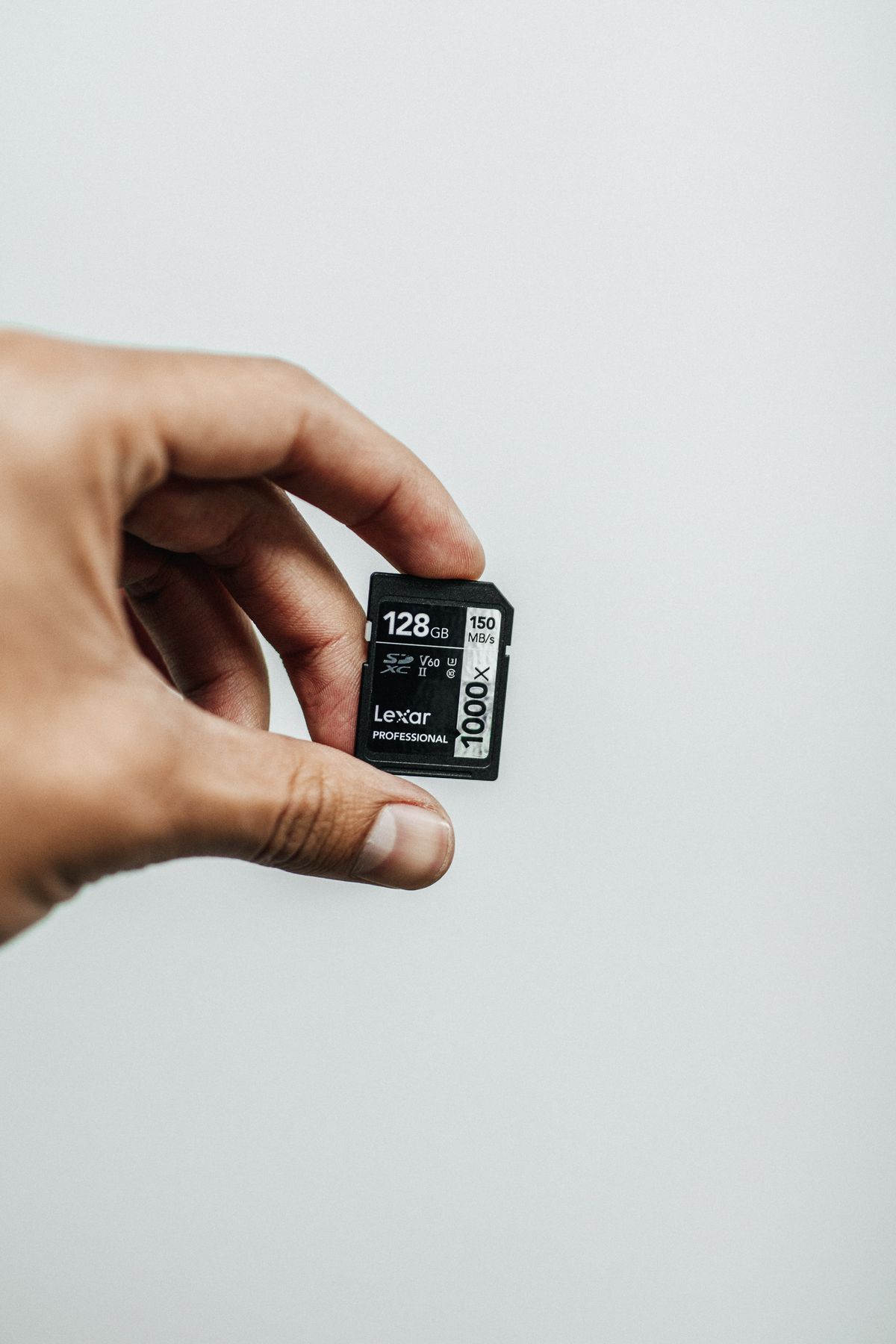
The single most common Switch 2 storage mistake in 2026 is buying a regular UHS-I microSD card and assuming it adds game storage. It doesn’t. Switch 2 reads regular UHS-I cards only for screenshots and video clips. Games (every game) can install only to internal storage or to a microSD Express card. The two card types are the same physical size, fit the same slot, and Nintendo’s setup screen will refuse a UHS-I card for game data without explaining why. If you’ve been eyeing a $60 SanDisk Extreme 1TB and assuming it’ll work the way it did on your original Switch, stop and read the next section before buying anything.
The committed pick for most Switch 2 owners in 2026 is the SanDisk 1TB microSD Express (Nintendo-licensed) at around $219, or the PNY 1TB Pro Elite microSD Express at $199.99 if you want the same capacity for $20 less and don’t care about the Nintendo logo. SanDisk 1TB microSD Express Nintendo-licensed PNY 1TB microSD Express Pro Elite If you don’t need 1TB yet, the Samsung Nintendo-licensed 256GB at $59.99 is the right floor card — official, fast enough, easy to upgrade later. Samsung 256GB microSD Express Nintendo-licensed
For the broader Switch 2 vs Steam Deck buying decision before you spend on storage, our cornerstone comparison covers the wedge. This piece is the storage-specific buyer call: which card, why, and what you’d be wasting money on.
The microSD Express trap, in 200 words
A microSD Express card looks identical to a regular microSD card. Same shape, same slot, same generic appearance on a shelf. The difference is what runs underneath the form factor:
- Regular microSD (UHS-I): what the original Switch, the Steam Deck, and every microSD card before mid-2025 used. Peak sequential read speed: about 100 MB/s on a Steam Deck, slightly higher on devices with wider buses. Cost: $0.04-0.08 per GB at 1TB capacities. The cards you already own are this.
- microSD Express: a different protocol entirely, using PCIe NVMe over the microSD form factor. Peak sequential read speed: up to 985 MB/s theoretical, 600-880 MB/s in real-world benchmarks. Cost: $0.20-0.30 per GB at 1TB capacities. The Switch 2 requires this for game data.
The price ratio is the part that catches people. A microSD Express card is 4-5x more expensive per GB than a UHS-I card of the same size. A 1TB UHS-I card sits at $50-80 in 2026; a 1TB microSD Express card costs $199-220. That’s not a typo and it’s not a temporary supply problem. The technology genuinely costs more to make: each Express card includes the NVMe controller and the PCIe interface, where a UHS-I card is a much simpler component.
Nintendo’s wording on the setup screen if you insert a UHS-I card: it’ll be detected as a card for “Image and Video Capture” only, with games and saves greyed out. There’s no error pop-up explaining the mismatch; you just can’t move games to it. People miss this for weeks.
What “Nintendo-licensed” actually means (and whether you need it)
Several microSD Express cards on the market are branded as “Nintendo-licensed” or carry the Switch 2 logo. Samsung’s 256GB and SanDisk’s 256GB and 1TB Express cards have official licensing; PNY’s 1TB Pro Elite, Lexar’s Play Pro, and several others are spec-compliant but unlicensed.
What the license actually buys you:
- A Nintendo-issued cartridge-style retail box and marketing material
- Slight retail-channel preference (Nintendo’s own store and major retailers shelve licensed cards more prominently)
- A guarantee that Nintendo has reviewed the card against Switch 2’s specific compatibility requirements
- A small price premium (typically $10-30 over the equivalent unlicensed spec)
What the license does not buy you:
- Higher performance — licensed and unlicensed microSD Express cards at the same spec deliver the same speed
- Better reliability — both card types use commodity NAND from the same suppliers
- Exclusive features — there’s no proprietary Switch 2 trick that licensed cards do better
The practical advice: if you’d rather not think about whether a card is genuinely microSD Express or accidentally a UHS-I card with similar packaging, buy licensed. If you’re confident reading the spec sheet — the box must say “microSD Express” or carry the new microSD Express logo — buy unlicensed and save $10-30.
What’s actually available in 2026 (and pricing)
The microSD Express market is small in 2026 because adoption is still ramping up. Switch 2 is the first major device requiring the format, so the catalog of cards is narrow compared to UHS-I. Here’s what you can actually buy in May 2026:
| Vendor | Capacity | Read speed | Write speed | Licensed | Price (approx) | Price per GB |
|---|---|---|---|---|---|---|
| Samsung Nintendo-licensed | 256GB | 800 MB/s | 600 MB/s | Yes | $59.99 | $0.234 |
| SanDisk Nintendo-licensed | 256GB | 880 MB/s | 650 MB/s | Yes | $64.99 | $0.254 |
| SanDisk Nintendo-licensed | 1TB | 880 MB/s | 650 MB/s | Yes | ~$219 | $0.214 |
| Lexar Play Pro | 1TB | 900 MB/s | 600 MB/s | No | ~$219 | $0.214 |
| PNY Pro Elite | 1TB | 890 MB/s | 850 MB/s | No | $199.99 | $0.195 |
| PNY Pro Elite | 256GB | 890 MB/s | 850 MB/s | No | $38-50 | $0.149-0.195 |
| Adata Premier Extreme | 1TB | 800 MB/s | 700 MB/s | No | ~$190 | $0.186 |
A few notes that won’t fit in the table:
- PNY’s 256GB has hit $38 at Mario Day sales in 2026 and similar promotional dates. If you can wait for a sale, the value pick floor drops further.
- 512GB cards exist from several vendors (Lexar, PNY, SanDisk unlicensed) at roughly $110-130, but the price-per-GB advantage versus 256GB is marginal because of fixed controller costs. Most buyers should skip 512GB and go to 1TB if they need more than 256GB.
- No microSD Express card above 1TB exists in 2026. Nintendo’s spec allows up to 2TB, but no vendor has shipped a 2TB Express card yet. If you genuinely need more than 1TB on a Switch 2, you’ll have to swap cards as your library grows.
How fast is fast enough for Switch 2 game loading
The 985 MB/s theoretical ceiling of microSD Express is impressive on paper. The practical question is whether games actually use it.
Independent benchmarks of Switch 2 game loading in 2026 show:
- Internal UFS 3.1 storage: typical game load 4-7 seconds for most titles
- microSD Express at 800 MB/s read: typical game load 5-9 seconds for the same titles
- microSD Express at 600 MB/s read (older cards or thermally throttled): typical game load 7-11 seconds
So the speed difference between an 800 MB/s card and a 600 MB/s card is 1-3 seconds per load. Real, but not dramatic.
What matters more than peak read speed for everyday Switch 2 use:
- Sustained write speed when downloading a game from the eShop. A 60GB game on a 600 MB/s-write card writes in about 100 seconds at peak; on a 200 MB/s-write card it takes 5 minutes. The difference is felt in download UX more than in gameplay.
- Thermal management. microSD Express cards run warm under heavy load. Cheaper cards thermally throttle to lower speeds during long downloads or extended gameplay sessions. The Nintendo-licensed Samsung and SanDisk cards have published thermal-control behaviour that holds speed reliably; some unlicensed cards drop 30-40% after 5-10 minutes of sustained access.
- Random IOPS, which microSD Express specs do not always quote prominently. Higher IOPS helps games that stream assets from storage during gameplay: open-world titles, anything with constant texture streaming.
If you’re trying to optimise: prioritise sustained write speed (for download time) and thermal stability (for sustained-session reliability) over peak read speed (for marginal load-time differences).
The 256GB / 512GB / 1TB decision
The Switch 2’s internal storage is 256GB UFS 3.1, of which roughly 230GB is usable after the OS. First-party Nintendo games in 2026 typically run 10-25GB; third-party AAA ports (Cyberpunk 2077, Hogwarts Legacy, Indiana Jones, FF7 Rebirth) run 40-80GB; a few outliers go higher. A serious gaming library fills the internal in three or four games.
Capacity guidance:
- 256GB card: doubles your storage. Fits 5-10 additional games depending on size. Good for the player who keeps a curated rotation rather than a massive library. Cost: $40-65 depending on vendor and sales.
- 512GB card: triples your storage. Fits 10-20 additional games. The awkward middle: price-per-GB only marginally better than 256GB, and 1TB isn’t that much more for double the space. Skip unless you find a specific deal.
- 1TB card: quintuples your storage. Fits 20-50 games depending on size mix. The right buy for anyone with a Switch 2 library that’s expected to grow or who plays a lot of large third-party ports. Cost: $190-220.
The case for buying 1TB now even if you don’t think you’ll fill it: microSD Express prices have been moving slowly but consistently downward through 2026. The premium for 1TB versus 256GB is large in absolute terms ($150-180) but small in price-per-GB terms ($0.21 vs $0.23). Buying 1TB once is cheaper than buying a 256GB then upgrading to 1TB six months later when you fill it; the resale market for second-hand microSD Express cards is thin and you’ll recover little on the smaller card.
The case for starting with 256GB: if you’re not sure you’ll use the Switch 2 enough to justify $200 of storage, $40-60 for a 256GB card lets you find out before committing. The math only goes wrong if you do fill it within months — and at that point you’re a heavy enough Switch 2 user that the upgrade is justified.
Picks by use case
Most Switch 2 owners — 1TB, Nintendo-licensed: SanDisk 1TB microSD Express, Nintendo-licensed (~$219). Reliable, thermally well-managed for sustained play, official licensing covers the “is this the right card” question. SanDisk 1TB microSD Express Nintendo-licensed
Value pick — 1TB unlicensed: PNY Pro Elite 1TB ($199.99). $20 cheaper than the SanDisk licensed equivalent, near-identical real-world performance, the highest sustained write speed (850 MB/s) of any current Express card. The trade is no Nintendo logo and slightly less thermal headroom under extended load. PNY 1TB microSD Express Pro Elite
Starter / floor pick — 256GB licensed: Samsung 256GB microSD Express, Nintendo-licensed ($59.99). The sensible first card. Doubles your storage, covers 5-10 games, easy to upgrade by adding a second card or swapping for 1TB later. Samsung 256GB microSD Express Nintendo-licensed
Sale watcher — 256GB unlicensed: PNY 256GB Pro Elite (regular price ~$50, hits $38 on Mario Day and similar promotional events). The cheapest credible microSD Express card on the market at sale prices. Wait for a discount and the value-per-GB beats the licensed Samsung. PNY 256GB microSD Express Pro Elite
Avoid in 2026: any 512GB card, any card that doesn’t explicitly say “microSD Express” on the packaging, and any “Switch-compatible” card that doesn’t mention Express specifically (those are UHS-I cards for the original Switch).
What about your existing UHS-I cards
If you upgraded from a Switch to a Switch 2 and have 256GB or 512GB UHS-I cards from your original setup, here’s what they’re still useful for:
- Original Switch backward compatibility: Switch 2 plays original Switch games, and original Switch games installed on a UHS-I card transfer over to Switch 2 directly. You can keep the old card in the slot and play old Switch games from it.
- Screenshots and video clips: Switch 2’s screenshot and clip storage works on UHS-I cards. If you take a lot of clips and want them off the internal storage, a UHS-I card is the right home for them.
- Photo and video import from non-game use: rare but supported.
What they can’t do: hold new Switch 2 game data. So if your plan is to use the old card as primary storage and buy a 256GB microSD Express for overflow, you have it backwards — the Express card needs to be primary because it’s where the games go.
A practical setup for a Switch + Switch 2 household: keep the 256GB UHS-I card in the slot, keep all old-Switch installs and screenshots on it, and buy a 1TB microSD Express only when you start seriously building a Switch 2 library. The two cards can swap as needed; the Switch 2 detects whichever is inserted and shows the appropriate library.
Format requirement and how to set up a new card
Switch 2 formats microSD Express cards to exFAT, the same filesystem it used on the original Switch. The format wipes the card; back anything important off before inserting. The format option lives in System Settings → System → Formatting Options → Format microSD Express Card.
A few details that catch people:
- Switch 2 won’t format an Express card on first insert without an explicit user action. You’ll get a “this card needs to be formatted” prompt, and you have to confirm before it’ll be writable.
- A formatted Express card is bound to the console for save-data integrity reasons — saves on the card are tied to the original console that wrote them. If you move the card to a different Switch 2, game data installs work, but cloud-save sync handles your progress separately.
- A UHS-I card and a microSD Express card cannot both be inserted simultaneously — there’s one microSD slot. If you want both an old Switch UHS-I card and a new Switch 2 Express card, you’ll swap them; Switch 2 picks up the change on insertion.
The Steam Deck comparison (because it matters for buyers who own both)
For Steam Deck owners considering whether their existing microSD-card knowledge transfers: it largely doesn’t. The Steam Deck uses UHS-I, capped at about 104 MB/s real-world. The Switch 2 uses microSD Express, capable of 8x that speed. Buying a single card that works on both devices isn’t an option in 2026; the protocols are different. If you own both, you need:
- A UHS-I card for the Deck (A2 + V30 spec; $50-80 for 1TB) — see our SteamOS travel setup guide for the Deck-specific spec call.
- A microSD Express card for the Switch 2 (Nintendo-licensed or spec-compliant; $200-220 for 1TB).
Total combined cost for a serious dual-handheld traveller adding 1TB to both: about $260-300. Worth knowing before you commit.
FAQ
Q: Do regular microSD cards work in the Nintendo Switch 2?
Yes, but only for screenshots and video clips, not for games. Switch 2 detects a regular UHS-I microSD card and offers it as storage for image and video capture only. Game installs, save data, and most user content require a microSD Express card specifically. The card slot accepts both physically, but the system only writes game data to the Express format. There’s no error message warning you about this distinction at insertion time.
Q: How much does a 1TB microSD Express card cost in 2026?
Between $190 and $220 depending on vendor and licensing. The cheapest credible 1TB card is the PNY Pro Elite at $199.99; Adata’s Premier Extreme is sometimes $10 cheaper at $190; the Nintendo-licensed SanDisk and Lexar Play Pro 1TB cards sit at $219. Prices have moved slowly downward through 2026 but a microSD Express card is still roughly 4-5x more expensive per GB than a comparable UHS-I card.
Q: What’s the difference between Nintendo-licensed and unlicensed microSD Express cards?
Licensed cards carry the official Nintendo logo, retail in Nintendo’s own store, and cost $10-30 more than equivalent unlicensed cards at the same speed spec. Performance is identical when the underlying spec matches. The license certifies Nintendo has reviewed the card for Switch 2 compatibility. Unlicensed cards work the same way technically; the practical advantage of licensed is avoiding the shopping confusion between microSD Express and similar-looking UHS-I cards.
Q: How much faster is microSD Express than the regular microSD I used in my original Switch?
About 8-10x faster in peak sequential read. The original Switch’s UHS-I cards top out at roughly 90-100 MB/s; microSD Express cards reach 800-900 MB/s in current Switch 2 implementations. In practical game loading, the difference is smaller than the spec gap suggests: Switch 2 internal storage at UFS 3.1 is similar to microSD Express, and game loads on a microSD Express card are only 1-3 seconds slower than on internal storage for typical titles.
Q: Can I use the same microSD card on my Steam Deck and Switch 2?
No. The two devices use different microSD protocols. The Steam Deck uses UHS-I, which Switch 2 only accepts for screenshots. The Switch 2 uses microSD Express, which the Steam Deck doesn’t read at PCIe speeds (it would fall back to UHS-I compatibility mode, defeating the point of the more expensive card). If you own both devices, you need a card for each, picked to its respective spec.
Q: Should I buy 256GB now and upgrade later or go straight to 1TB?
The 1TB upfront is the better economics if you’re sure you’ll use the Switch 2 seriously. The price-per-GB difference between 256GB and 1TB Express cards is small ($0.23 vs $0.21 per GB), but the absolute cost is large ($60 vs $200). If you’re not sure you’ll fill 256GB, start with a 256GB card and reassess after six months. The resale market for second-hand microSD Express cards is thin, so committing to 1TB only makes sense if you’re confident you’ll use the space.
Last reviewed: 28 May 2026. microSD Express card pricing is moving downward as more vendors enter the market; verify against current retail before purchase. The Nintendo-licensed roster may expand through 2026 as additional vendors get approval. The 2TB card ceiling Nintendo specified is not yet reached by any vendor; if larger capacities ship later in 2026, this guide will be refreshed.