
Best USB-C Hub for Steam Deck Travel in 2026: Picks at $30, $60, and $100+
By Jordan Hale
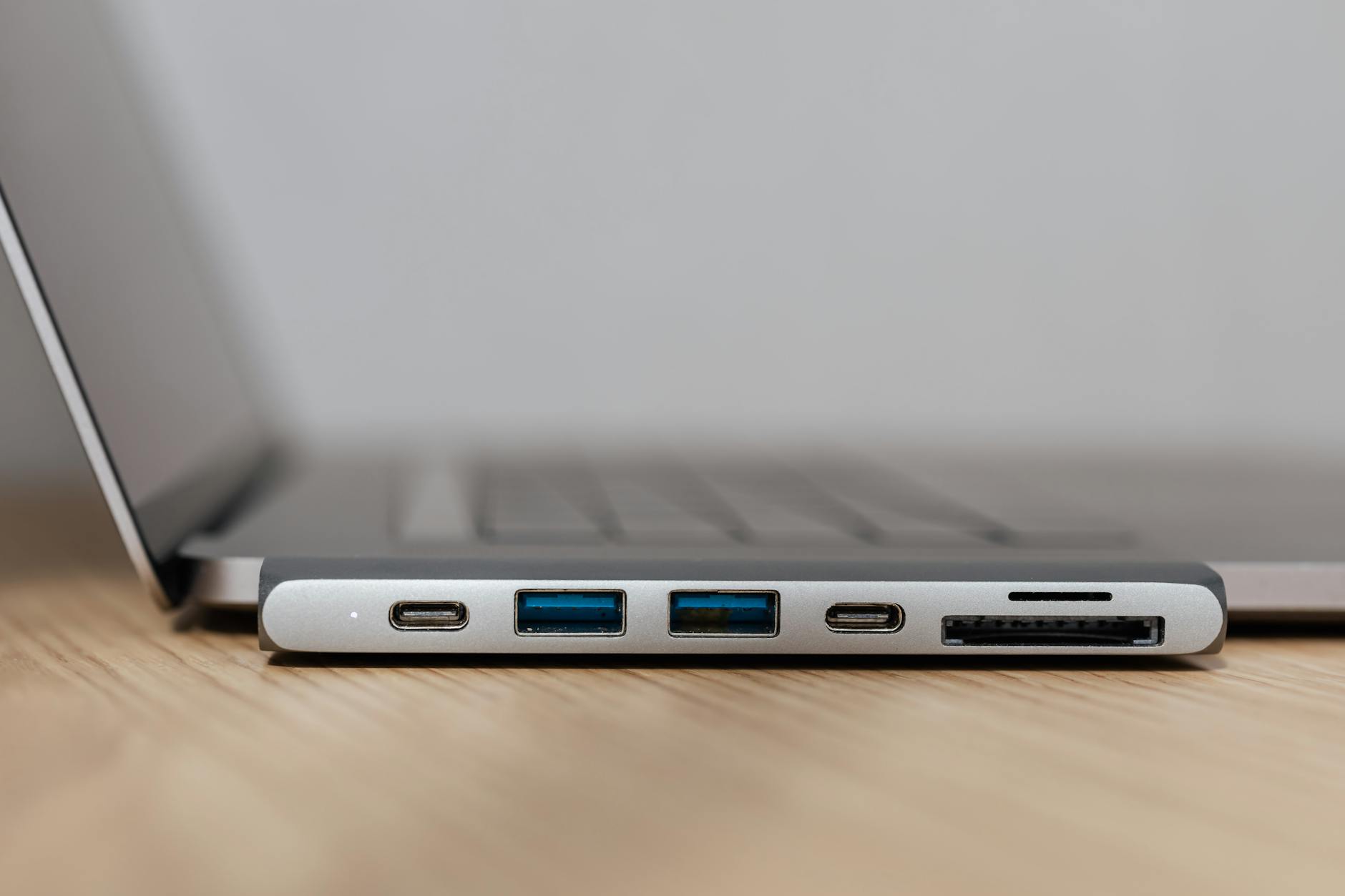
For solo Steam Deck travel, the Anker 332 USB-C Hub (5-in-1) at around $20-25 is the right buy in 2026: HDMI 4K, two USB-A ports, 100W PD-input with 85W passthrough — enough to charge a Deck at full speed while plugged in. Anker 332 USB-C Hub 5-in-1 If you want a Deck-shaped dock for hotel TV use with an adjustable stand, the JSAUX HB0603 6-in-1 at $40-50 is the better physical fit and adds Gigabit ethernet. JSAUX HB0603 6-in-1 Steam Deck Dock If you travel with both a Steam Deck and a Switch 2, the Anker 565 11-in-1 at around $50-90 is the only sensible pick at this tier because it actually passes through enough power to run a Switch 2 in dock mode. Anker 565 USB-C Hub 11-in-1
The official Valve Steam Deck Docking Station at $89 belongs in this conversation but isn’t the recommendation. It’s HDMI 2.0 only (no 4K@120Hz, no VRR), it has no AUX or card reader, and the JSAUX HB0603 matches its core features at half the price. Pay for Valve-built peace of mind if you want it; otherwise, save the $50.
The piece below covers what PD passthrough actually means for a Deck and a Switch 2, why most $20-30 travel hubs are wrongly spec’d for portable gaming, the trade-offs between a flat hub and a Deck-shaped dock, and what to ignore in the marketing copy. For the broader Deck vs Switch 2 buying decision, our cornerstone comparison covers the wedge. For what to configure in SteamOS before you fly, the Deck travel setup guide is the sibling piece.
The travel-hub trap most buyers miss
The way USB-C travel hubs are marketed makes port count the headline: 8-in-1, 11-in-1, sometimes 13-in-1, in a strip across the box. Port count is the wrong metric for travel use with portable gaming hardware. The metric that decides the buy is PD passthrough wattage, and it’s usually buried in the spec sheet.
Here’s the mechanics. A Steam Deck draws up to 45W when charging from empty under load. A Nintendo Switch 2 in dock mode requests the full 60W of USB-C PD specification — the Switch 2 dock won’t enter TV mode unless the connected PD source can deliver 3A at 20V. Most $20-30 USB-C travel hubs accept 65W or 100W input but only pass 30-45W through to the host device after their own internal consumption. For a Deck, 30W means a slow drain while plugged in during a long session. For a Switch 2, 30W means no dock mode at all.
A typical buyer skims the port list, sees “100W Power Delivery” on the box, and assumes 100W reaches the device. It doesn’t. The hub eats 10-15W for its own logic and the additional ports, and the 100W is the input rating, not the throughput. The Anker 332 is honest about this on the spec sheet: 100W input, 85W passthrough after the 15W the hub itself consumes. Many cheaper hubs aren’t this transparent and the reality is worse.
If you only ever plug one device into one hub on the move, this matters less because you can simply use the device’s own charger when you’re not docking. If you’re trying to charge a Deck and run a HDMI display and connect a controller dongle through the same hub on a long flight or in a hotel room, the wattage decides whether the kit works.
The right approach: start with the wattage the hub passes through, then check if it has the ports you actually need. Reverse that and you’ll spend $40 on an 11-port hub that can’t keep your Deck charged.
What a Steam Deck and a Switch 2 actually need in a travel hub
A Steam Deck plugs into a USB-C port that supports DisplayPort 1.4 Alt-mode, which the Deck can drive up to 4K@120Hz or 8K@60Hz with Display Stream Compression. In practice, most travel use is on a hotel TV through HDMI, where the limit is HDMI 2.0 at 4K@60Hz, or HDMI 2.1 at 4K@120Hz if both the hub and the display support it. The Switch 2 also uses DisplayPort over USB-C and the same HDMI conversion logic applies in the dock or hub.
What this means for your buy:
- HDMI 2.0 at 4K@60Hz is enough for 95% of travel TV use. Most hotel TVs are 4K@60Hz at best, and the difference between 4K@60Hz and 4K@120Hz isn’t visible on a 43-inch hotel display from a sofa across the room.
- HDMI 2.1 (4K@120Hz, VRR) is worth paying for only if your home or travel-destination setup includes a 120Hz monitor or a recent OLED TV — the new JSAUX HB0603S and HB0604 add HDMI 2.1 for $10-15 more than the base model, and that’s the right premium if you have the display to use it.
- Gigabit Ethernet matters more than people expect. Hotel Wi-Fi is the single biggest source of pain in Steam Deck travel use — captive portals that refuse to load, throughput that drops to dial-up speeds at peak hours, and rate limits per device. A hub with Ethernet bypasses most of that the moment you find a working wall jack. It’s not in every hotel, but when it is, the difference is night and day.
Port requirements, in priority order:
- PD passthrough ≥ 45W for a Deck-only kit, ≥ 60W if you also carry a Switch 2.
- HDMI 4K@60Hz minimum. HDMI 2.1 if you have the display.
- At least one USB-A port for a controller dongle, USB stick, or wired peripheral.
- Gigabit Ethernet if you stay in business-class hotels often.
Card readers, AUX jacks, second video outputs, and seven USB ports are nice-to-have at best. For travel specifically, they’re weight and bulk in your bag.
Travel hub vs Deck-shaped dock
The shape decides whether the hub also acts as a stand. A flat USB-C hub like the Anker 332 sits between your charger and your Deck via a short cable; the Deck rests on whatever surface is available. A Deck-shaped dock like the JSAUX HB0603 has a cradle moulded for the device to slot into, holds it at viewing angle, and integrates the HDMI / Ethernet / USB hub into the base.
For travel use, the answer depends on whether you’ll be docking to a TV regularly.
- Solo Deck use, charging during play in your seat or on a hotel desk: flat hub. Lighter, smaller, fits in a side pocket of a backpack. The Anker 332 is the pick.
- Hotel-TV docking in the evening, then portable use during the day: Deck-shaped dock. The JSAUX HB0603’s stand keeps the Deck at viewing height, the cabling is cleaner, and the 100W PD input charges the device while the HDMI runs to the TV. The bulk is real (about 220g for the JSAUX vs. 60g for the Anker 332), but in a hotel room it’s the right shape.
- Carrying both a Deck and a Switch 2: flat hub with 60W+ PD throughput. Neither of these specific docks is the right answer if the Switch 2 dock mode matters to you, because the Switch 2 will refuse to enter dock mode without the full 60W. The Anker 565 is the pick.
Two of the three travel scenarios in our hotel-room parent guide end up on the flat-hub side because of bag bulk; the third (one parent in TV mode with a kids’ show, the other on the Deck in handheld) needs the Deck-shaped dock.
The picks by tier
$20-25 tier: Anker 332 USB-C Hub (5-in-1, 4K HDMI)
The honest budget pick for solo Steam Deck travel. The Anker 332 has been the default recommendation for two years and the 2026 pricing — frequently $19-25 on Amazon — makes it harder to justify spending more for the same core capability.
What you get:
- HDMI 4K up to 4K@60Hz (HDMI 2.0)
- 100W PD input, 85W passthrough — full 45W to a Deck under load, full 60W to a Switch 2 if you’re connecting one (just check it cleanly in your room before relying on it for travel)
- 1x USB-C 5Gbps data port
- 2x USB-A 5Gbps ports
What you don’t get: Ethernet, AUX, card readers, a second display. None of that matters for a flat-hub travel kit.
Weight: about 60g with the captive cable. Fits in a jacket pocket. The form factor is the strongest argument for this hub over any of the Deck-shaped alternatives — for a Deck owner who carries the device in a sleeve and doesn’t dock to TVs much, the Anker 332 is the right call.
The 85W passthrough is the differentiator at this price. The cheaper hubs at $12-15 (Baseus Lite 5-in-1, UGreen 6-in-1, several no-name picks) cap at 60W passthrough and drop further under load with a USB-A peripheral plugged in. Save $5 there and you’ll find your Deck dropping from 100% to 70% on a six-hour drive.
$40-50 tier: JSAUX HB0603 6-in-1 Steam Deck Dock
JSAUX HB0603 6-in-1 Steam Deck Dock
The Deck-shaped dock to buy if you’ll use it. JSAUX has refined this dock through three hardware revisions, the current HB0603 is the stable one, and the spec matches the official Valve dock at about half the price.
What you get:
- HDMI 2.0 at 4K@60Hz
- 100W PD input, ~90W passthrough
- 3x USB-A 3.0 ports
- Gigabit Ethernet
- Cradle stand for the Deck (and other 7-8” handhelds — ROG Ally X, Legion Go, MSI Claw all fit)
The Ethernet is the headline travel feature. The 3x USB-A is generous — for travel you’ll use one, possibly two (controller dongle plus a USB stick for a game install), and the third stays empty. The stand angle is fixed, which means it works at desk height but not from a low coffee table.
Upgrade options worth knowing:
- JSAUX HB0603S ($55-65) adds HDMI 2.1 (4K@120Hz, VRR). Pay the $10-15 premium only if your travel destination has a 120Hz display.
- JSAUX HB0604 ($60-70) is the modular version where the dock body and the cable assembly separate. Useful if you want to carry only the cable head and use a host-side hub at the other end. Most people don’t need this; check the standard HB0603 first.
The official Valve Steam Deck Dock at $89 sits in this tier physically but offers less than the HB0603 (HDMI 2.0 only, no advantage on Ethernet or USB-A count). The case for it is brand peace of mind: Valve guarantees the firmware compatibility, the Switch 2 conversation doesn’t apply because the Valve dock targets the Deck only, and the design is cleaner. If those things matter to you, buy it. They don’t matter to most travellers.
$50-90 tier: Anker 565 USB-C Hub (11-in-1) — for Deck-plus-Switch-2 travel
The hub that earns its place in your kit only if you carry both a Deck and a Switch 2. For a solo Deck traveller, this is overspec’d and you’re better off in the $20 or $50 tier. For a household carrying both consoles on one trip, the Anker 565 is the rare hub with the full 100W PD passthrough that lets a Switch 2 enter dock mode reliably while still leaving headroom for the second device.
What you get:
- 4K HDMI and 4K DisplayPort (so you can plug into a Mini DisplayPort monitor if you ever encounter one in a hotel — rare but real)
- 100W PD input, ~85W passthrough
- 10Gbps USB-C and USB-A data ports for fast file transfer
- 1Gbps Ethernet
- 2x USB 2.0 data ports (for keyboards, mice, low-bandwidth gear)
- microSD and SD card slots
- 3.5mm AUX (useful if you’re driving a hotel-room TV’s audio through an external speaker)
Real-world price: list is around $90 but it’s regularly $50-60 on Amazon deals. At $50-60 it’s a strong value; at full list it’s harder to justify against the JSAUX option if you don’t actually need the Switch 2 compatibility.
Travel-class concession: this hub is bigger than the Anker 332 (about 130g, palm-sized) and bigger than the JSAUX HB0603 if you measure bag space. For a one-bag traveller, weight matters. For a family carrying two consoles, it’s still smaller than carrying two separate hubs.
Comparison table
The three picks by the dimensions that actually decide the buy.
| Hub | Price (typical 2026) | PD Passthrough | HDMI | USB-A | Ethernet | Form factor | Best for |
|---|---|---|---|---|---|---|---|
| Anker 332 (5-in-1) | $19-25 | 85W | 4K@60Hz (HDMI 2.0) | 2x 5Gbps | No | Flat hub, ~60g | Solo Deck travel |
| JSAUX HB0603 (6-in-1) | $40-50 | ~90W | 4K@60Hz (HDMI 2.0) | 3x 3.0 | Gigabit | Deck-shaped cradle, ~220g | Hotel TV docking |
| JSAUX HB0603S | $55-65 | ~90W | 4K@120Hz (HDMI 2.1) | 3x 3.0 | Gigabit | Deck-shaped cradle, ~220g | 120Hz display at destination |
| Anker 565 (11-in-1) | $50-90 | ~85W | 4K HDMI + DP | 2x 10Gbps + 2x 2.0 | Gigabit | Flat hub, ~130g | Deck + Switch 2 carry |
| Valve Steam Deck Dock | $89 | ~85W | 4K@60Hz (HDMI 2.0) | 3x 3.1 Gen1 | Gigabit | Deck-shaped cradle | Ecosystem peace of mind |
The Switch 2 question
The Switch 2 added a wrinkle for hub buyers that the original Switch didn’t have. The original Switch dock used 39W PD and was forgiving about third-party docks; the Switch 2 dock requests the full 60W of the USB-C PD specification, and the device won’t enter dock mode if the connected source can’t deliver 3A at 20V.
This means a hub that’s perfectly fine for a Steam Deck (45W is enough for Deck dock mode at full speed) may simply refuse to drive a Switch 2 in TV mode. The Switch 2 will charge in handheld mode from a lower-wattage source, but it won’t output to a TV through the dock unless the full 60W is available.
Third-party Switch 2 docks have been a moving target through 2025-26. Several launched, some worked cleanly with the official dock chip behaviour, others ran into firmware updates that locked them out. As of mid-2026, the safest path for travelling with a Switch 2 in TV mode is to carry the official Nintendo dock; the next-safest is a 60W+ general-purpose hub like the Anker 565 with the original Switch 2 USB-C cable. Mileage on cheaper Switch-2-specific docks varies by firmware version.
The official Nintendo Switch 2 60W charger is the assumed power source. If you bring it, almost any decent hub will pass through enough power because the source is already at 60W. If you’re trying to use a 45W laptop charger to power both the hub and the Switch 2 dock simultaneously, you’ll fail.
Travel-specific considerations
Things that matter in a backpack and a hotel room that don’t show up in a spec sheet.
Heat. A travel hub passing 85W during a Deck-plus-display session runs warm to hot. The Anker 332 stays warm. Deck-shaped docks (JSAUX, Valve) have more surface area and stay cooler. Hubs sitting on a soft surface — a hotel bed, a duvet — get hotter and throttle. Put it on a hard surface.
Cable handling. The Anker 332’s captive cable is short (about 15cm), which means it sits flush to the Deck without slack. The JSAUX dock has the USB-C cable built into the cradle. The Anker 565 has a longer pigtail, which is useful if you’re routing through a desk but bulky in a bag.
Hotel Wi-Fi captive portals. Ethernet bypasses most of these. If the hotel’s wired connection works at all (test before relying on it), it usually goes straight to the network without the captive-portal redirect. This is the underrated reason to carry a hub with Ethernet on long trips.
Power strips abroad. A hub with PD input still needs a wall charger to feed it. If you’re travelling internationally, the limiting factor is often your travel adapter, not the hub. Pack a 65W or 100W USB-C charger with the right wall plugs — the hub eats the host-side cable and an outlet; the laptop charger or the official Deck charger does the heavy lifting.
What I don’t recommend (and why)
13-in-1 hubs at the $25-30 price tier. The math doesn’t work. A hub with 13 ports at $30 is sourcing components at $1.50 per port; the data ports throttle, the HDMI caps below the rated spec, and the PD passthrough drops under load. Buyer guides love them because the headline number is big. Skip them.
No-name hubs labelled “Steam Deck dock” on marketplaces under $20. The same hardware is sold under a dozen brand names. The PD passthrough is typically 30-45W with no margin. They work for a hotel session if you don’t push them; they fail under longer load with peripherals plugged in.
USB-C hubs without explicit PD passthrough specs. Several mid-price hubs ($25-40) list “USB-C charging” without specifying input vs. output wattage. Read the spec sheet. If the documentation doesn’t say “PD passthrough” and give a number, assume it doesn’t have any and pass.
Hubs marketed specifically for the Switch 2 from unknown brands. The Switch 2 third-party dock space is volatile. Buy from a brand with explicit firmware-update commitments (Anker, JSAUX, official Nintendo) or carry the official dock.
FAQ
What’s the difference between a USB-C hub and a docking station for travel use?
In practice, very little. Both expose extra ports through a single USB-C connection. “Docking station” implies more ports, more video outputs, and a designed-in spot to sit on a desk; “hub” implies smaller and more portable. For Steam Deck travel, a flat hub like the Anker 332 is technically a docking station too. The shape matters more than the label.
Do I need a Steam Deck-specific dock or will any USB-C hub work?
Any USB-C hub with adequate PD passthrough and DisplayPort Alt-mode HDMI conversion will work with a Steam Deck. The Deck-specific docks add the cradle stand and tune the firmware behaviour around the Deck’s USB-C port, but the electronic compatibility is the same. Buy Deck-specific only if you want the stand.
Will a Steam Deck charge from a 100W USB-C charger plugged into a 100W-rated hub?
The Deck draws what it needs. A 100W source feeding a hub that passes through 85W will charge a Deck at the full 45W and have headroom for connected peripherals. A 65W source feeding the same hub will run the Deck closer to break-even under load.
Does the Switch 2 work in dock mode through a third-party USB-C hub?
Sometimes. The Switch 2 requests the full 60W of USB-C PD before entering dock mode. A hub with 60W+ passthrough connected to a 60W+ wall charger should work; cheaper hubs and lower-wattage sources will fail. The Anker 565 is the safest third-party pick at this writing; mileage on cheaper hubs varies.
Is the official Valve Steam Deck Dock worth $89?
For most travellers, no. The JSAUX HB0603 at $40-50 has the same core spec and adds the option of HDMI 2.1 via the HB0603S variant. The case for the Valve dock is brand peace of mind and clean industrial design, not raw capability.
Does HDMI 2.1 matter for Steam Deck travel use?
Only if your destination display supports it. Most hotel TVs are HDMI 2.0 at best, so the 4K@60Hz cap of cheaper hubs is the real ceiling. Pay for HDMI 2.1 if you’re docking to a high-refresh monitor at home or a recent OLED TV at a friend’s place.
Will a USB-C hub damage my Steam Deck or Switch 2?
A spec-compliant hub from a reputable brand (Anker, JSAUX, Baseus, UGreen) won’t damage your device. The risk with no-name hubs is voltage instability, not theoretical destruction; reputable brands include the protection circuitry.
Can I use the same hub for my laptop and my Steam Deck?
Yes, any of the picks here work as a laptop dock too. The Anker 565 in particular is sold as a laptop docking station. The Steam Deck and the Switch 2 both speak the same USB-C PD and DisplayPort Alt-mode standards a laptop does.
Do I need a powered hub if I only want to add a USB stick or controller dongle?
No. For data-only use (USB stick, controller dongle) the Deck or Switch 2 will run an unpowered hub from its own port. You only need PD passthrough when you also want to charge the host device through the same hub.